Skip to content
Beta

Migration Framework Walkthrough

Last updated on

Stackit LogoStackit Logo
STACKIT

Migration Framework Walkthrough

Comprehensive migration walkthrough from Assess through Design and Mobilize and Migrate to Run, using the framework's core visuals and decision models.

PLAN

Migration Phases

Open with the end-to-end framework and its visual model so the audience can place every following activity in the journey from Assess through Design and Mobilize and Migrate to Run.

In 1 trail

The STACKIT Migration Framework provides clear blueprints for moving from on-prem to cloud-native. It guides teams through discovery, assessment, and cutover to ensure seamless integration into the STACKIT ecosystem.

The overview below summarizes the migration lifecycle from initial assessment to stable operations. It helps teams build a shared understanding of responsibilities, dependencies, and expected outcomes across all phases.

Swipe sideways to see the whole diagram
STACKIT Cloud Migration Framework Journey across the four phases Assess, Design and Mobilize, Migrate, and Run with their key modules. Assess PHASE 1 Assess Design & mobilize PHASE 2 Design & mobilize Migrate PHASE 3 Migrate Run PHASE 4 Run PLANNING Discovery Discovery Map apps and dependencies. Design Design Define target patterns. Migration plan Migration plan Sequence waves for delivery. Rapid discovery Rapid discovery Inventory workloads to create an early scope and cost baseline. TCO report TCO report Model migration economics to support investment and planning decisions. Readiness assessment Readiness assessment Assess technology and organization gaps before detailed design starts. Deepdive workshop Deepdive workshop Explore STACKIT services and platform options for target design. Briefings & workshops Briefings & workshops Align stakeholders on goals, scope, and migration expectations. Business case Business case Compare value, effort, and investment per application. Enablement ENABLEMENT Center of Excellence Trainings & Learning Paths Documentation & Reference Landing zone Landing zone Establish the secure platform base for migrated workloads. Security & compliance Security & compliance Define security and compliance controls for migration and operations. Target operating model Target operating model Define roles, processes, and ownership for target operations. Migration factory setup Migration factory setup Prepare teams, tools, and runbooks for scalable migration execution. Migrate MIGRATE Relocate Relocate Rehost Rehost Replatform Replatform Optimize Optimize Improve sizing, performance, and cost after cutover. Repurchase Repurchase Evaluate SaaS options when replacement delivers better value. Refactor Refactor Restructure strategic workloads for cloud- native scalability and agility. Operating model handover Operating model handover TOM validation and ownership transfer Hypercare Hypercare Post-cutover stabilization bridge. Operate Operate Steady-state cloud operations. Support Support Manage incidents and service requests across support responsibilities. Customer Success Customer Success Track adoption, outcomes, and value realization with stakeholders.

The Migration Framework is designed to reduce uncertainty in cloud transitions and create a clear path from strategy to operations. It combines business alignment and technical planning so that migration decisions are not made in isolation.

Typical goals include:

Reliable baseline

Build a reliable baseline for scope, risks, and cost drivers.

Scalable target setup

Define a target architecture and operating model that scale over time.

Controlled migration waves

Run migration in controlled waves with measurable progress.

Stable run operations

Establish stable run operations with continuous optimization.

Use the diagram as a navigation map, not just as a sequence of boxes. Each phase contains modules that answer a specific decision question.

Recommended way of working:

  1. Start with Assess to create a fact-based baseline and shared business context.
  2. Use Design and Mobilize to make architecture, governance, and capability decisions explicit.
  3. Treat Migrate as iterative delivery with feedback loops into planning and optimization.
  4. Anchor long-term value in Run by combining operations, customer success, and support.

The best results are achieved when business, architecture, platform, security, and operations work as one program team with regular decision cadences. Keep assumptions transparent, track dependencies between modules, and define clear entry and exit criteria per phase. This keeps the migration predictable while allowing adaptation where new findings emerge.

Organizations usually apply the framework in one of two baseline scenarios:

  • On-premises to STACKIT: Legacy infrastructure is moved to a sovereign cloud target on STACKIT.
  • Cloud to STACKIT: Workloads are transferred from another cloud provider.

Across both scenarios, migration programs often emphasize different primary motivators:

  • Cost focus: Improve cost transparency, reduce long-term run costs, and optimize consumption models.
  • Modernization focus: Increase agility, adopt managed services, and improve delivery speed.

In practice, both motivators often coexist. The framework supports balancing them by evaluating workloads through the R-strategy lens and selecting the most suitable path per application:

  • Rehost: Move workloads with minimal changes to accelerate migration.
  • Replatform: Apply targeted platform optimizations without full redesign.
  • Repurchase: Replace with a SaaS alternative where it creates higher value.
  • Refactor: Redesign parts of the workload for cloud-native capabilities.
  • Retain: Keep workloads unchanged when migration is not yet beneficial.
  • Retire: Decommission workloads that no longer provide business value.

Using these R-strategy options explicitly helps teams avoid one-size-fits-all migration decisions and align each workload transition with business value, risk profile, and implementation effort.

BASE

Assess

Frame Assess as the fast, low-commitment phase that builds an initial fact base and qualifies migration intent before deeper design work starts.

Overview In 2 trails

Assess is the first phase of the STACKIT Migration Framework. It creates a fact-based baseline for migration decisions before architecture design and wave delivery begin.

The phase combines technical discovery with commercial and organizational alignment so that later migration work starts with clear priorities and transparent assumptions.

Assess typically starts when a migration initiative has strategic sponsorship but no decision-ready baseline yet.

  1. Start when migration scope, business drivers, and decision stakeholders are defined at a high level.
  2. Build the baseline through Rapid Discovery, readiness evaluation, cost modeling, and stakeholder workshops.
  3. End when scope assumptions, migration readiness, and financial direction are clear enough to start detailed design.

Assess is completed when stakeholders can approve moving into Design and Mobilize with a shared understanding of cost, risk, and delivery feasibility.

Assess reduces uncertainty early and aligns business and IT before large implementation effort is committed.

Financial transparency

A first cost corridor and TCO perspective are available for investment decisions.

Readiness clarity

Gaps in technology, governance, capabilities, and operating model are visible early.

Stakeholder alignment

Leadership, delivery teams, and technical owners align on goals, scope, and expectations.

Risk reduction

Key assumptions and migration constraints are documented before target design starts.

At the end of Assess, the program should have:

  • Decision-ready baseline: A documented view of current landscape, scale, and migration scope.
  • Initial economic model: Cost indication and TCO direction with transparent assumptions.
  • Readiness and risk view: Prioritized gaps and mitigation needs for mobilization.
  • Phase transition criteria: Clear entry conditions for Design and Mobilize.

Assess does not finalize the full target architecture. Instead, it creates the validated input needed to start detailed design, migration-wave planning, and factory setup in the next phase.

STACKIT LogoSTACKIT Logo
Rapid Discovery STACKIT · Assess › Rapid Discovery Open page ↗

Rapid Discovery provides a fast, automated baseline of the current environment across on-premises and cloud landscapes. The focus is on quantifying the existing IT portfolio in a short time window, so teams can make early migration and commercial decisions with confidence.

At this stage, quantity and distribution matter more than deep application relationships.

Rapid Discovery builds an initial inventory of infrastructure and platform assets, including:

Compute footprint

Virtual machines and host counts.

Storage baseline

Storage capacity and storage classes.

OS landscape

Operating system families and versions.

Kubernetes baseline

Kubernetes cluster counts and baseline characteristics.

Database inventory

Database engines, sizes, and instance counts.

These metrics create the first fact-based view of migration scope.

The output of Rapid Discovery is a core input for:

  • Early price indication: Build the first STACKIT-aligned cost baseline.
  • Initial TCO view: Create a first total cost of ownership corridor.
  • Target capacity assumptions: Define initial cloud capacity and landing zone requirements.

This allows program stakeholders to align on financial direction and technical baseline before detailed planning starts.

Rapid Discovery is intentionally not a full application-level analysis. It does not include deep interviews with every application owner and does not aim to fully map all runtime dependencies.

That depth is covered in the subsequent Discovery phase, where infrastructure exports are enriched with targeted assessments and owner input to build a complete application picture.

Typical input sources include exports such as spreadsheets or similar inventory files from existing environments. This phase can be accelerated with AI-assisted tooling that extracts the required baseline metrics from uploaded datasets.

Rapid Discovery therefore acts as a prerequisite for structured cost indication and for shaping a realistic target environment strategy.

Use AI-assisted discovery assets when workload descriptions and inventory inputs need to be turned into first assessment and design artifacts for expert review.

Asset title
Framework
Asset type

The following diagram shows why Rapid Discovery is performed: raw source data is processed by tooling into a decision-ready baseline that supports early price indication and initial target sizing.

Swipe sideways to see the whole diagram
Rapid discovery process Input data is processed through rapid discovery tooling to produce decision-ready outputs for early migration choices. Input dataCMDB & inventory exportsAsset lists, hosts, base platform factsHypervisor & cloud reportsUsage, footprint, and utilization signalsPlatform listsKubernetes, database, and OS baselinesRapid discovery toolingIngest & normalize datasetsStandardize source records and schemaClassify & aggregate assetsConsolidate by technology and quantityApply assumptionsConfidence levels and growth factorsOutput informationConsolidated asset baselineFact base for scope and planningInitial STACKIT sizingFirst capacity assumptionsPrice indication & TCO corridorEarly cost orientation for decisions

A robust Rapid Discovery typically follows a clear sequence:

  1. Collect data from available sources (CMDB, hypervisor exports, cloud inventories, monitoring, storage reports, database lists).
  2. Standardize and consolidate records into a unified schema.
  3. Classify assets by workload type and technical characteristics.
  4. Aggregate results for management-level decision making.
  5. Validate initial assumptions with responsible stakeholders.

The objective is not a perfect target architecture. The objective is a reliable starting point with enough accuracy for early decisions.

Result quality depends heavily on source quality. Typical issues include duplicates, outdated entries, inconsistent naming, and missing performance data.

Recommended practice for this phase:

  • Document assumptions: Keep growth rates, consolidation factors, and capacity buffers explicit.
  • Flag unclear records: Mark uncertain entries instead of removing them too early.
  • Assign confidence levels: Label findings as high, medium, or low confidence.

This keeps cost indications traceable and allows focused refinement in the subsequent Discovery phase.

Rapid Discovery provides the volume baseline for early cost modeling. Captured assets are translated into STACKIT-relevant consumption dimensions, for example:

  • Compute sizing: Use vCPU and RAM as the baseline dimensions.
  • Storage class selection: Use storage capacity and I/O characteristics.
  • Managed service options: Use database engine and size classes.
  • Platform cost estimation: Use cluster and node counts.

Combined with operating assumptions (runtime profile, availability targets, growth trajectory), this produces a solid first price indication and an initial TCO corridor.

At the end of Rapid Discovery, the following outputs should be available at a minimum:

Consolidated asset baseline

Quantities per technology domain are consolidated in one baseline.

Meaningful segmentation

Assets are segmented by criticality, environment, and modernization potential.

Traceable assumptions

Assumptions and identified data gaps are documented transparently.

Initial cost indication

Cost ranges and primary drivers are available for early planning.

Prioritized candidates

A prioritized list for deeper Discovery activities is available.

These outputs establish the working baseline for architecture, planning, and governance in the next Assess steps.

Common Rapid Discovery risks include over-simplified categorization, incomplete source systems, or overestimating data maturity.

Proven countermeasures:

  • Combine sources: Use multiple data sources instead of relying on one source.
  • Review outliers: Check very large or very old systems systematically.
  • Align perspectives: Align finance and engineering interpretation to reduce bias.

This keeps the phase fast while preserving decision quality.

The handover point is reached when quantities, technology classes, and primary cost levers are sufficiently visible and open questions are clearly documented.

In Discovery, these open items are addressed through targeted owner interviews, deeper assessments, and dependency/compliance/operations analysis to build the full application-level picture.

CloudMent LogoCloudMent Logo
CloudMent AI-Powered Cloud Advisor CloudMent · Software Open asset ↗

CloudMent AI-Powered Cloud Advisor supports migration teams in Assess and Design and Mobilize. It combines CloudMent Deck for structured assessment artifacts with CloudMent Essential for interactive STACKIT advisory.

The solution helps architects and portfolio teams capture requirements, map source services to STACKIT options, select R-strategies, design target architectures, and estimate STACKIT run costs. Recommendations are grounded in STACKIT documentation and include citations for expert review.

  • Rapid Discovery and Readiness Assessment: Captures application landscape information and functional or non-functional requirements to create first readiness and portfolio views.
  • Discovery and Design: Maps AWS, Azure, and Google Cloud services to STACKIT equivalents with fit ratings and supports R-strategy selection during design.
  • Business Case: Estimates STACKIT monthly run rates from pricing context and generates decision-support figures for migration planning.
  • Enablement: Provides a guided advisory interface for teams learning STACKIT service options, Terraform patterns, and architecture decisions.
  • Requirements-driven assessment: Turns workload descriptions, inventories, or CMDB inputs into cloud readiness, R-strategy, target architecture, and business-case drafts.
  • Grounded advisory: Uses STACKIT documentation and provider context so recommendations can be checked through cited sources.
  • Source-to-target mapping: Compares hyperscaler services with STACKIT alternatives and labels direct fits, partial fits, and gaps.
  • Interactive design support: Builds and refines target architecture options with service mapping, cost estimates, and Terraform drafts.
  • Inputs: Workload descriptions, application inventories, requirements, architecture documents, CSV or Excel exports, and optional CMDB sources such as ServiceNow or LeanIX.
  • Outputs: Readiness assessment, R-strategy classification, service mapping, target architecture, business-case estimate, Terraform draft, and cited evidence.
  • Review need: Outputs are decision support and must be validated by qualified migration, architecture, security, and operations experts.
  • Hyperscaler-to-STACKIT migrations: Strong fit for portfolios moving from AWS, Azure, or Google Cloud to STACKIT.
  • Large or unclear portfolios: Useful when many applications, incomplete documentation, or service-mapping work slow down assessment and design.
  • Sovereignty requirements: Relevant for regulated organizations that need traceable recommendations and EU-based processing on STACKIT.
  • No execution automation: CloudMent does not migrate workloads, execute cutovers, or provision customer infrastructure.
  • No agent-based scan: Analysis is based on provided input data rather than direct source-environment scanning.
  • Expert validation required: R-strategy, cost, compliance, Terraform, and architecture outputs must be reviewed before use.
  • Product page: CloudMent
  • Documentation: Public product documentation is in preparation.
  • Marketplace listing: STACKIT Marketplace listing is in progress.
STACKIT LogoSTACKIT Logo
TCO Analysis STACKIT · Business Case And Financial Planning Open page ↗

A TCO analysis is not primarily a cost-reduction argument. It is a decision-making tool. Its purpose is to make visible all costs — including those that are currently invisible — so that a comparison between the current state and the cloud target state is honest and complete.

The most common mistake in TCO analysis is treating it as a budget exercise: comparing the invoice from the cloud provider against the invoice from the current hosting provider. That comparison is almost always misleading, because it ignores the majority of relevant costs on the on-premises side.

A complete TCO model covers sixteen categories across four groups.

Direct infrastructure costs include hardware acquisition and depreciation, data centre space (power, cooling, space), network infrastructure, and storage systems. These are the costs most organisations can already see — but even here, the fully loaded cost is often underestimated because hardware refresh cycles are treated as capital expenditure rather than operating cost.

Software and licensing costs include operating system licences, virtualisation licences (VMware, Hyper-V), database licences, monitoring and management tooling, and backup and recovery software. Licensing is often the category where the largest surprises occur in cloud migration projects: licences that were purchased once and amortised over many years appear as a large one-time cost when they must be replaced or renegotiated.

Operations and personnel costs include IT operations staff (system administration, network operations, storage management), on-call costs, and the opportunity cost of skilled staff spending time on infrastructure rather than on business-value work. Personnel costs are typically the largest single category in a complete TCO model — and the one most frequently omitted from cloud business cases.

Compliance and risk costs include security tooling and personnel, compliance audit preparation and execution, insurance, and the cost of maintaining certifications (ISO 27001, BSI IT-Grundschutz). These costs are frequently invisible in the current state because they are distributed across multiple cost centres and headcount — but they are real, and cloud platforms that provide compliance features as a managed service reduce them materially.

Beyond the sixteen standard categories, there are costs that most TCO analyses miss entirely. Downtime cost — the financial impact of system outages, calculated as revenue at risk per hour multiplied by historical availability figures. Technical debt amortisation — the cost of maintaining increasingly outdated infrastructure that cannot be fully modernised within current budgets. Talent acquisition premium — the cost of recruiting and retaining infrastructure engineers in a market where cloud skills command a premium over legacy infrastructure skills. Shadow IT — the cost of business units buying cloud services outside the official IT budget because official IT is too slow, which creates uncontrolled cloud spend and security gaps.

The comparison between on-premises and cloud should cover a three-year period, since that is the typical payback horizon for cloud transformation investments. Both the current state and the cloud target state should be modelled on a year-by-year basis, because cloud costs are not constant: they typically decrease as reserved capacity is optimised, as workloads are right-sized, and as FinOps practices mature.

The current state model should include all sixteen cost categories, including the ones that are currently hidden. The cloud target state model should include provider costs (compute, storage, network, managed services), migration investment, staff retraining, and ongoing FinOps operations — but should credit back the infrastructure costs that will be retired.

The migration investment — the one-time cost of the transformation itself — should be presented separately from the ongoing run cost, so that the board can evaluate it as a capital decision distinct from the operational efficiency improvement.

STACKIT LogoSTACKIT Logo
Deepdive Workshop STACKIT · Assess › Deepdive Workshop Open page ↗

The Deepdive Workshop is a one- to two-day technical workshop for the people who will later build, migrate, operate, or support workloads on STACKIT. It provides an early introduction to the platform and creates a shared technical understanding before detailed design and migration activities begin.

The workshop introduces relevant STACKIT services and concepts in the context of the planned migration. Depending on the agenda and available environment, participants can also try out selected services directly during the workshop.

The workshop helps technical teams to:

  • become familiar with the STACKIT platform and its core concepts;
  • understand which services are relevant for their workloads and operating model;
  • discuss technical questions and assumptions early with STACKIT experts; and
  • identify topics that require deeper investigation during the following phases.

The exact agenda is tailored to the migration scope and the participating roles. Typical topics include:

  • Platform foundations: Regions, projects, identity and access management, networking, and security concepts.
  • Relevant services: Compute, storage, Kubernetes, databases, and other services that are appropriate for the target workloads.
  • Operational concepts: Monitoring, logging, automation, responsibilities, and support models.
  • Migration context: How existing workloads, dependencies, and technical requirements can be considered on STACKIT.
  • Hands-on exploration: Optional guided exercises in a prepared environment to explore selected services and workflows.

Invite the technical people who will work with the platform after the migration, for example application teams, infrastructure and platform engineers, operations, security, and network specialists. The workshop is most effective when the team brings an initial view of the workloads, technical constraints, and questions it wants to clarify.

Before the workshop, align the agenda, participating roles, available test environment, and any access requirements. This keeps the sessions focused on the services and concepts that matter for the migration.

After the workshop, the participants have:

  • a shared baseline understanding of the STACKIT platform;
  • an initial view of the services and concepts relevant to their migration;
  • documented technical questions, assumptions, and follow-up topics; and
  • clearer input for discovery, target design, and the migration plan.

The Deepdive Workshop is an orientation and collaboration format. It does not replace structured enablement or a complete technical training programme. Use the workshop results to plan the required role-specific training and enablement activities in the following phases.

STACKIT LogoSTACKIT Logo
Briefings and Workshops STACKIT · Assess › Briefings And Workshop Open page ↗

Briefings and Workshops are focused exchanges between the customer and STACKIT before the contractual relationship begins. They are appropriate when self-registration alone does not provide enough clarity for the planned use of the platform, the migration scope, or the required commercial and operational setup.

The sessions create a common understanding of the customer’s objectives and requirements, as well as the services, responsibilities, and engagement model that STACKIT can provide. Their goal is a contract relationship that is clear, practical, and suitable for both parties.

Use briefings and workshops when the planned engagement requires coordination beyond a standard self-service setup, for example because it involves a larger migration, specific compliance needs, several customer organizations, or individual commercial and operational requirements.

The format can include a short briefing, a series of working sessions, or a joint workshop. The scope and participants should match the complexity and decision needs of the engagement.

The sessions establish a shared, documented basis for the following topics:

  • Business objectives and scope: Intended platform use, migration goals, priorities, expected scale, and relevant workloads.
  • Organizations and responsibilities: Customer contacts, decision-makers, technical teams, procurement, and the respective responsibilities of the customer and STACKIT.
  • Account and project structure: Required organizations, projects, access roles, ownership model, and the setup needed for the intended use.
  • Security, compliance, and data protection: Regulatory requirements, data classification, data residency, security expectations, and evidence needed for internal approval.
  • Commercial model and contracting: Required contract scope, pricing and billing expectations, commitments, procurement process, and any necessary contractual clarifications.
  • Operations and support: Service expectations, support model, escalation paths, operational responsibilities, and relevant availability requirements.
  • Delivery planning: Preconditions, dependencies, timeline, decision points, and the next steps toward onboarding, design, and migration.

Include the people who can clarify the relevant business, technical, legal, and operational questions. Depending on the engagement, this may include customer sponsors, procurement, legal, security and compliance representatives, technical owners, and the corresponding STACKIT contacts.

Prepare the sessions with an initial description of the intended use, known requirements, expected scale, and open questions. This allows the discussion to focus on decisions and unresolved assumptions instead of basic fact finding.

At the end of the module, both parties should have:

  • a shared understanding of the intended platform use and engagement scope;
  • a documented view of requirements, assumptions, dependencies, and open items;
  • agreement on the required account, security, support, and commercial setup;
  • clear responsibilities and decision owners for the next steps; and
  • a mutually understood path toward contracting and subsequent onboarding.

Briefings and Workshops do not replace technical discovery, a Deepdive Workshop, or detailed solution design. They ensure that the commercial, organizational, and operational foundation is aligned so that those activities can proceed with clear expectations and an appropriate contractual basis.

STACKIT LogoSTACKIT Logo
Readiness Assessment STACKIT · Assess › Readiness Assessment Open page ↗

The Readiness Assessment evaluates whether the foundations required for cloud migration are in place. It covers technical, process, personnel, financial, and governance readiness. Its findings shape discovery depth, migration waves, staffing, platform prerequisites, and risk treatment.

The STACKIT Cloud Readiness Assessment starts with a questionnaire and quality review, then uses joint expert workshops to validate the evidence and identify technical and organizational gaps. Its planning phase turns the findings into target architecture, migration-method, proof-of-concept, training, and roadmap decisions.

Bring these inputs into migration planning:

  • the validated questionnaire and documented assumptions;
  • the five-dimension readiness scorecard, including open items, owners, and target dates;
  • workload criticality, dependencies, and initial R-strategy hypotheses;
  • identified capability gaps and the resulting training needs;
  • approved platform, governance, budget, and staffing prerequisites.
Cloud Framework Cloud Readiness Assessment Workshop Series Open page

Convert every unresolved finding into a migration artifact rather than carrying it as a general observation:

  1. Record the affected workloads and waves.
  2. Assign an accountable owner and a target date.
  3. Define the evidence required to close the finding.
  4. Mark the finding as a blocker, a pre-wave action, or an accepted risk.
  5. Recheck readiness at the relevant design or wave gate.

The resulting readiness backlog feeds Discovery, Migration Plan, Enablement, and Migration Factory Setup.

Continue with the complete acceptance criteria, thresholds, scorecard, and formal go/no-go process.

Cloud Framework 5-Dimension Readiness Assessment Open page
LIFT

Design and Mobilize

Position Design and Mobilize as the phase carrying most of the framework's substance: it turns Assess signals into an executable, factory-ready delivery plan.

Overview In 2 trails

Design and Mobilize is the planning and enablement phase between Assess and Migrate. It translates baseline findings into executable target designs, governance, and migration factory readiness.

The phase ensures that migration delivery starts with clear architectural decisions, security controls, team setup, and wave planning.

This phase starts after Assess confirms migration scope, readiness, and commercial direction.

  1. Start with detailed discovery of applications, dependencies, and migration constraints.
  2. Build target designs, business cases, and migration waves while setting up delivery structures.
  3. End when the first migration waves are approved, runbooks are ready, and governance is operational.

Design and Mobilize is complete when migration teams can begin wave run with stable inputs, controls, and responsibilities.

This phase turns strategy into delivery readiness and prevents uncontrolled migrations.

Architecture readiness

Target patterns and migration paths per workload are defined and validated.

Factory enablement

Roles, processes, tooling, and runbook governance are established before scale-up.

Security by design

Security and compliance requirements are integrated into design and planning from the start.

Execution confidence

Waves are sequenced with dependency awareness and operational feasibility.

  • Discovery: Creates the application-level baseline and dependency transparency.
  • Migration Plan: Translates strategy into wave-based delivery planning.
  • Design: Defines migration approach and target patterns per application.
  • Business Case: Consolidates value, effort, and investment logic per scope.
  • Migration Factory Setup: Establishes the delivery factory model and operating mechanics.
  • Enablement: Builds governance, learning, and reference capabilities for consistent delivery.
  • Landing Zones: Implements the secure and scalable platform foundation.
  • Target Operating Model: Defines the governance, accountabilities, and capabilities for stable cloud operations.
  • Security and Compliance: Embeds control requirements into architecture and migration run.

At the end of Design and Mobilize, the program should have:

  • Approved target designs: Migration strategy and target architecture decisions per workload class.
  • Wave-ready migration plan: Sequenced and dependency-aware wave plan with prioritized backlog.
  • Factory operating setup: Governance cadence, runbook standards, and delivery ownership in place.
  • Platform and control baseline: Landing zone and security/compliance controls ready for migration.

Design and Mobilize can overlap with early migration waves. As soon as the first waves and runbooks are validated, Migrate begins and delivery continues iteratively while planning is refined for upcoming waves.

STEP

Discovery

Go deep here: Discovery turns the rapid assessment into migration-ready evidence about workloads, dependencies, constraints, and stakeholders.

Design and mobilizeDiscoveryOverview In 4 trails

Discovery is one of the first and most critical modules in the Design and Mobilize phase. It refines Rapid Discovery results and adds the depth needed to make architecture and migration-wave decisions with confidence.

The primary objective is to establish a realistic, evidence-based understanding of the current IT landscape, business priorities, and organizational readiness before detailed target design and migration planning are finalized.

Complete baseline

Create a reliable application and infrastructure baseline that goes beyond pure quantities.

Dependency transparency

Identify technical and process dependencies to avoid hidden migration blockers.

Business alignment

Link technical findings with business criticality, timelines, and risk tolerance.

Planning readiness

Produce decision-ready input for target design and migration-wave planning.

Inventory

Comprehensive capture of servers, virtual machines, databases, middleware, and applications.

Dependency analysis

Mapping of communication paths and runtime dependencies between systems and applications.

Resource utilization

Analysis of actual CPU, memory, storage, and I/O behavior over a representative period.

Operational context

Collection of backup, patching, SLA, compliance, and operational constraints.

Application owner input

Structured questionnaires and interviews to validate assumptions and close data gaps.

In practice, Discovery is often run together with STACKIT partners. Partners typically use their own tooling landscape to collect and normalize technical data into a central repository. Many programs also trigger targeted questionnaires for application owners directly from these tools to enrich technical findings with business and operational context.

This combined model improves speed and consistency while keeping stakeholder validation built into the process.

Two Evidence Streams: Technical vs. Human-Driven

Section titled “Two Evidence Streams: Technical vs. Human-Driven”

Discovery intentionally combines two evidence streams that complement each other:

  • Technically derived evidence: Tooling-generated findings from inventory exports, runtime metrics, and dependency signals. This stream provides scale, consistency, and repeatability.
  • Application-owner enrichment (human-driven): Validated business criticality, lifecycle intent, release constraints, and operational realities from owner interviews and questionnaires.

Neither stream is sufficient on its own. Technical evidence without owner context can misclassify critical workloads, while human input without technical grounding can hide coupling and capacity risks. Discovery quality depends on reconciling both streams into one decision-ready view.

The following diagram shows how Discovery transforms technical and stakeholder input into decision-ready outputs for the downstream modules.

Swipe sideways to see the whole diagram
Discovery source-to-decision flow Discovery separates technical and human-driven inputs, runs technical-first and human-enriched analyses, and hands over both insight streams to follow-on modules. Discovery inputsTechnical and automated discoveryInfrastructure inventoryCMDB, VM, database, middleware, storageRuntime and utilization dataCPU, memory, I/O, network and seasonalityIntegration and flow signalsNetwork paths, APIs, identity, data movementAssessment-driven human inputSecurity and compliance contextData classes, controls, audit requirementsOwner and business inputCriticality, release windows, lifecycle plansDiscovery analysis toolingTechnical-first analysesNormalize and correlateUnify records and technical identitiesDependency mappingInfer communication and couplingUtilization and sizing analysisEstimate baseline demand corridorsPreliminary segmentationCluster by stack and environmentHuman-driven analyses (application owner input)Criticality and risk calibrationValidate business impact and constraintsWave feasibility and sequencingReconcile dependencies with release windowsAssumption and gap registerTrack open points and confidenceHandover outputsTool-derived outputsDesignTarget architecture options and sizing factsLanding zonePlatform guardrails and account structure needsMigration planWave backlog, sequencing, and cutover windowsAssessment-validated outputsSecurity and complianceControl needs, data classes, remediation pointsOperating modelRole model, ownership boundaries, process impactBusiness caseValue/risk profile and modernization priorities

Typical Analysis Patterns in Discovery Tooling

Section titled “Typical Analysis Patterns in Discovery Tooling”

During Discovery, tooling commonly applies the following analysis patterns:

  • Record normalization: Merge heterogeneous exports into one coherent application model.
  • Dependency mapping: Detect communication paths, data exchange, and coupling patterns.
  • Criticality and risk scoring: Evaluate business impact, failure domain, and compliance exposure.
  • Utilization profiling: Build workload demand baselines for right-sizing and target planning.
  • Segmentation analysis: Cluster applications by readiness, constraints, and migration strategy fit.
  • Wave simulation: Model move groups and sequence options under dependency constraints.
  • Gap and assumption tracking: Keep unresolved findings transparent with confidence levels.

These analyses establish the technical fact base. The human-driven stream then validates, prioritizes, and contextualizes these findings for executable migration decisions.

Use AI-assisted discovery assets to structure workload inputs, service mapping, readiness findings, and R-strategy signals before architects validate the resulting discovery baseline.

Asset title
Framework
Asset type

  1. Aggregate source data from CMDBs, hypervisors, cloud inventories, monitoring, and export files.
  2. Normalize and consolidate records into a common application-centric model.
  3. Discover and validate dependencies (network, data, identity, integration, and batch flows).
  4. Enrich with owner input on criticality, lifecycle, constraints, and migration feasibility.
  5. Classify workloads for migration strategy options and wave sequencing.
  6. Validate findings with architecture, security, platform, and business stakeholders.
  • Reduces migration risk: Early visibility of hidden dependencies lowers outage and rollback risk.
  • Improves wave planning: Workloads can be grouped realistically by coupling, criticality, and readiness.
  • Prevents over/under-sizing: Measured utilization replaces assumptions in target capacity planning.
  • Supports governance: Security, compliance, and operational constraints are addressed before rollout.
  • Strengthens stakeholder buy-in: Shared facts improve decision quality across business and IT.

Discovery outputs are directly reused by the next modules in Design and Mobilize:

Design

Uses dependency, capacity, and risk insights to shape target architecture options.

Security and Compliance

Uses data classification and control gaps to define prioritized security requirements.

Landing Zone

Uses platform and governance constraints to define foundational setup decisions.

Migration Plan

Uses move groups, criticality, and sequencing constraints for realistic wave planning.

Operating Model and Business Case

Uses ownership, process impact, and value/risk signals for staffing and investment priorities.

At minimum, Discovery should produce the following outputs:

  • Consolidated application baseline: Mapped inventory by domain, environment, and criticality.
  • Dependency map: Verified upstream/downstream relationships and integration touchpoints.
  • Utilization profile: Evidence-based resource behavior and sizing assumptions.
  • Constraint register: Security, compliance, licensing, and operational constraints.
  • Migration readiness view: Prioritized candidates, risks, and sequencing recommendations.

These outputs are essential prerequisites for continuing with detailed design work and a credible migration plan.

Validate Evidence and Patterns

Discovery is one of the first and most critical modules in the Design and Mobilize phase. It refines Rapid Discovery results and adds the depth needed to make architecture and migration-wave decisions with confidence.

The primary objective is to establish a realistic, evidence-based understanding of the current IT landscape, business priorities, and organizational readiness before detailed target design and migration planning are finalized.

Complete baseline

Create a reliable application and infrastructure baseline that goes beyond pure quantities.

Dependency transparency

Identify technical and process dependencies to avoid hidden migration blockers.

Business alignment

Link technical findings with business criticality, timelines, and risk tolerance.

Planning readiness

Produce decision-ready input for target design and migration-wave planning.

Inventory

Comprehensive capture of servers, virtual machines, databases, middleware, and applications.

Dependency analysis

Mapping of communication paths and runtime dependencies between systems and applications.

Resource utilization

Analysis of actual CPU, memory, storage, and I/O behavior over a representative period.

Operational context

Collection of backup, patching, SLA, compliance, and operational constraints.

Application owner input

Structured questionnaires and interviews to validate assumptions and close data gaps.

In practice, Discovery is often run together with STACKIT partners. Partners typically use their own tooling landscape to collect and normalize technical data into a central repository. Many programs also trigger targeted questionnaires for application owners directly from these tools to enrich technical findings with business and operational context.

This combined model improves speed and consistency while keeping stakeholder validation built into the process.

Two Evidence Streams: Technical vs. Human-Driven

Section titled “Two Evidence Streams: Technical vs. Human-Driven”

Discovery intentionally combines two evidence streams that complement each other:

  • Technically derived evidence: Tooling-generated findings from inventory exports, runtime metrics, and dependency signals. This stream provides scale, consistency, and repeatability.
  • Application-owner enrichment (human-driven): Validated business criticality, lifecycle intent, release constraints, and operational realities from owner interviews and questionnaires.

Neither stream is sufficient on its own. Technical evidence without owner context can misclassify critical workloads, while human input without technical grounding can hide coupling and capacity risks. Discovery quality depends on reconciling both streams into one decision-ready view.

The following diagram shows how Discovery transforms technical and stakeholder input into decision-ready outputs for the downstream modules.

Swipe sideways to see the whole diagram
Discovery source-to-decision flow Discovery separates technical and human-driven inputs, runs technical-first and human-enriched analyses, and hands over both insight streams to follow-on modules. Discovery inputsTechnical and automated discoveryInfrastructure inventoryCMDB, VM, database, middleware, storageRuntime and utilization dataCPU, memory, I/O, network and seasonalityIntegration and flow signalsNetwork paths, APIs, identity, data movementAssessment-driven human inputSecurity and compliance contextData classes, controls, audit requirementsOwner and business inputCriticality, release windows, lifecycle plansDiscovery analysis toolingTechnical-first analysesNormalize and correlateUnify records and technical identitiesDependency mappingInfer communication and couplingUtilization and sizing analysisEstimate baseline demand corridorsPreliminary segmentationCluster by stack and environmentHuman-driven analyses (application owner input)Criticality and risk calibrationValidate business impact and constraintsWave feasibility and sequencingReconcile dependencies with release windowsAssumption and gap registerTrack open points and confidenceHandover outputsTool-derived outputsDesignTarget architecture options and sizing factsLanding zonePlatform guardrails and account structure needsMigration planWave backlog, sequencing, and cutover windowsAssessment-validated outputsSecurity and complianceControl needs, data classes, remediation pointsOperating modelRole model, ownership boundaries, process impactBusiness caseValue/risk profile and modernization priorities

Typical Analysis Patterns in Discovery Tooling

Section titled “Typical Analysis Patterns in Discovery Tooling”

During Discovery, tooling commonly applies the following analysis patterns:

  • Record normalization: Merge heterogeneous exports into one coherent application model.
  • Dependency mapping: Detect communication paths, data exchange, and coupling patterns.
  • Criticality and risk scoring: Evaluate business impact, failure domain, and compliance exposure.
  • Utilization profiling: Build workload demand baselines for right-sizing and target planning.
  • Segmentation analysis: Cluster applications by readiness, constraints, and migration strategy fit.
  • Wave simulation: Model move groups and sequence options under dependency constraints.
  • Gap and assumption tracking: Keep unresolved findings transparent with confidence levels.

These analyses establish the technical fact base. The human-driven stream then validates, prioritizes, and contextualizes these findings for executable migration decisions.

Use AI-assisted discovery assets to structure workload inputs, service mapping, readiness findings, and R-strategy signals before architects validate the resulting discovery baseline.

Asset title
Framework
Asset type

  1. Aggregate source data from CMDBs, hypervisors, cloud inventories, monitoring, and export files.
  2. Normalize and consolidate records into a common application-centric model.
  3. Discover and validate dependencies (network, data, identity, integration, and batch flows).
  4. Enrich with owner input on criticality, lifecycle, constraints, and migration feasibility.
  5. Classify workloads for migration strategy options and wave sequencing.
  6. Validate findings with architecture, security, platform, and business stakeholders.
  • Reduces migration risk: Early visibility of hidden dependencies lowers outage and rollback risk.
  • Improves wave planning: Workloads can be grouped realistically by coupling, criticality, and readiness.
  • Prevents over/under-sizing: Measured utilization replaces assumptions in target capacity planning.
  • Supports governance: Security, compliance, and operational constraints are addressed before rollout.
  • Strengthens stakeholder buy-in: Shared facts improve decision quality across business and IT.

Discovery outputs are directly reused by the next modules in Design and Mobilize:

Design

Uses dependency, capacity, and risk insights to shape target architecture options.

Security and Compliance

Uses data classification and control gaps to define prioritized security requirements.

Landing Zone

Uses platform and governance constraints to define foundational setup decisions.

Migration Plan

Uses move groups, criticality, and sequencing constraints for realistic wave planning.

Operating Model and Business Case

Uses ownership, process impact, and value/risk signals for staffing and investment priorities.

At minimum, Discovery should produce the following outputs:

  • Consolidated application baseline: Mapped inventory by domain, environment, and criticality.
  • Dependency map: Verified upstream/downstream relationships and integration touchpoints.
  • Utilization profile: Evidence-based resource behavior and sizing assumptions.
  • Constraint register: Security, compliance, licensing, and operational constraints.
  • Migration readiness view: Prioritized candidates, risks, and sequencing recommendations.

These outputs are essential prerequisites for continuing with detailed design work and a credible migration plan.

Discovery is one of the first and most critical modules in the Design and Mobilize phase. It refines Rapid Discovery results and adds the depth needed to make architecture and migration-wave decisions with confidence.

The primary objective is to establish a realistic, evidence-based understanding of the current IT landscape, business priorities, and organizational readiness before detailed target design and migration planning are finalized.

Complete baseline

Create a reliable application and infrastructure baseline that goes beyond pure quantities.

Dependency transparency

Identify technical and process dependencies to avoid hidden migration blockers.

Business alignment

Link technical findings with business criticality, timelines, and risk tolerance.

Planning readiness

Produce decision-ready input for target design and migration-wave planning.

Inventory

Comprehensive capture of servers, virtual machines, databases, middleware, and applications.

Dependency analysis

Mapping of communication paths and runtime dependencies between systems and applications.

Resource utilization

Analysis of actual CPU, memory, storage, and I/O behavior over a representative period.

Operational context

Collection of backup, patching, SLA, compliance, and operational constraints.

Application owner input

Structured questionnaires and interviews to validate assumptions and close data gaps.

In practice, Discovery is often run together with STACKIT partners. Partners typically use their own tooling landscape to collect and normalize technical data into a central repository. Many programs also trigger targeted questionnaires for application owners directly from these tools to enrich technical findings with business and operational context.

This combined model improves speed and consistency while keeping stakeholder validation built into the process.

Two Evidence Streams: Technical vs. Human-Driven

Section titled “Two Evidence Streams: Technical vs. Human-Driven”

Discovery intentionally combines two evidence streams that complement each other:

  • Technically derived evidence: Tooling-generated findings from inventory exports, runtime metrics, and dependency signals. This stream provides scale, consistency, and repeatability.
  • Application-owner enrichment (human-driven): Validated business criticality, lifecycle intent, release constraints, and operational realities from owner interviews and questionnaires.

Neither stream is sufficient on its own. Technical evidence without owner context can misclassify critical workloads, while human input without technical grounding can hide coupling and capacity risks. Discovery quality depends on reconciling both streams into one decision-ready view.

The following diagram shows how Discovery transforms technical and stakeholder input into decision-ready outputs for the downstream modules.

Swipe sideways to see the whole diagram
Discovery source-to-decision flow Discovery separates technical and human-driven inputs, runs technical-first and human-enriched analyses, and hands over both insight streams to follow-on modules. Discovery inputsTechnical and automated discoveryInfrastructure inventoryCMDB, VM, database, middleware, storageRuntime and utilization dataCPU, memory, I/O, network and seasonalityIntegration and flow signalsNetwork paths, APIs, identity, data movementAssessment-driven human inputSecurity and compliance contextData classes, controls, audit requirementsOwner and business inputCriticality, release windows, lifecycle plansDiscovery analysis toolingTechnical-first analysesNormalize and correlateUnify records and technical identitiesDependency mappingInfer communication and couplingUtilization and sizing analysisEstimate baseline demand corridorsPreliminary segmentationCluster by stack and environmentHuman-driven analyses (application owner input)Criticality and risk calibrationValidate business impact and constraintsWave feasibility and sequencingReconcile dependencies with release windowsAssumption and gap registerTrack open points and confidenceHandover outputsTool-derived outputsDesignTarget architecture options and sizing factsLanding zonePlatform guardrails and account structure needsMigration planWave backlog, sequencing, and cutover windowsAssessment-validated outputsSecurity and complianceControl needs, data classes, remediation pointsOperating modelRole model, ownership boundaries, process impactBusiness caseValue/risk profile and modernization priorities

Typical Analysis Patterns in Discovery Tooling

Section titled “Typical Analysis Patterns in Discovery Tooling”

During Discovery, tooling commonly applies the following analysis patterns:

  • Record normalization: Merge heterogeneous exports into one coherent application model.
  • Dependency mapping: Detect communication paths, data exchange, and coupling patterns.
  • Criticality and risk scoring: Evaluate business impact, failure domain, and compliance exposure.
  • Utilization profiling: Build workload demand baselines for right-sizing and target planning.
  • Segmentation analysis: Cluster applications by readiness, constraints, and migration strategy fit.
  • Wave simulation: Model move groups and sequence options under dependency constraints.
  • Gap and assumption tracking: Keep unresolved findings transparent with confidence levels.

These analyses establish the technical fact base. The human-driven stream then validates, prioritizes, and contextualizes these findings for executable migration decisions.

Use AI-assisted discovery assets to structure workload inputs, service mapping, readiness findings, and R-strategy signals before architects validate the resulting discovery baseline.

Asset title
Framework
Asset type

  1. Aggregate source data from CMDBs, hypervisors, cloud inventories, monitoring, and export files.
  2. Normalize and consolidate records into a common application-centric model.
  3. Discover and validate dependencies (network, data, identity, integration, and batch flows).
  4. Enrich with owner input on criticality, lifecycle, constraints, and migration feasibility.
  5. Classify workloads for migration strategy options and wave sequencing.
  6. Validate findings with architecture, security, platform, and business stakeholders.
  • Reduces migration risk: Early visibility of hidden dependencies lowers outage and rollback risk.
  • Improves wave planning: Workloads can be grouped realistically by coupling, criticality, and readiness.
  • Prevents over/under-sizing: Measured utilization replaces assumptions in target capacity planning.
  • Supports governance: Security, compliance, and operational constraints are addressed before rollout.
  • Strengthens stakeholder buy-in: Shared facts improve decision quality across business and IT.

Discovery outputs are directly reused by the next modules in Design and Mobilize:

Design

Uses dependency, capacity, and risk insights to shape target architecture options.

Security and Compliance

Uses data classification and control gaps to define prioritized security requirements.

Landing Zone

Uses platform and governance constraints to define foundational setup decisions.

Migration Plan

Uses move groups, criticality, and sequencing constraints for realistic wave planning.

Operating Model and Business Case

Uses ownership, process impact, and value/risk signals for staffing and investment priorities.

At minimum, Discovery should produce the following outputs:

  • Consolidated application baseline: Mapped inventory by domain, environment, and criticality.
  • Dependency map: Verified upstream/downstream relationships and integration touchpoints.
  • Utilization profile: Evidence-based resource behavior and sizing assumptions.
  • Constraint register: Security, compliance, licensing, and operational constraints.
  • Migration readiness view: Prioritized candidates, risks, and sequencing recommendations.

These outputs are essential prerequisites for continuing with detailed design work and a credible migration plan.

STEP

Design

Go deep here: use the R-strategy graphic as the anchor for explaining how each application's migration approach is chosen and justified.

Design and mobilizeDesignOverview In 2 trails

The Design module creates the executable migration design for each application identified in Discovery. It is not a generic architecture exercise. The target is a concrete design package that a migration factory can run with predictable quality.

Target design per application

Defines workload architecture, service choices, integration approach, and constraints in the STACKIT context.

R-strategy-backed decision record

Documents the selected migration strategy and why alternatives were rejected.

Factory-ready migration runbook

Provides a step-by-step procedure for run teams, including rollback and validation checkpoints.

Handover package

Delivers all required inputs to Migration Factory Setup, Landing Zone, and Migration Plan.

These modules are connected, but they have different responsibilities:

Design (this module)

Decides target design and migration strategy per application and creates executable runbooks.

Migration Factory Setup

Enables delivery by selecting and preparing the right factory model, partner setup, and tooling stack.

Landing Zone

Provides the platform foundation and governance controls that target designs must comply with.

Migration Plan

Converts completed designs into realistic waves, sequencing, dependencies, and delivery milestones.

The R-strategy model is the core decision framework in this module. For each application, the selected R-strategy must be justified with architecture, business, risk, and operability evidence.

Swipe sideways to see the whole diagram
R-strategy migration method Decision flow from discovery to production with the seven R-strategies: Relocate, Rehost, Replatform, Repurchase, Refactor, Retain, and Retire. R-strategy migration methodFrom discovery and path selection through the seven R-strategies to validation, transition, and production.DiscoveryDiscoveryAssess / prioritizeAssess / prioritizeDetermine migration pathDetermine migration pathValidationValidationTransitionTransitionProductionProductionRelocateRelocate(move VM)Define Landing ZoneDefine Landing ZoneUse migration toolsUse migration toolsAUTOMATEMANUALInstallInstallConfigConfigDeployDeployValidation & handoverRehostingRehosting(move application)Define Landing ZoneDefine Landing ZoneUse migration toolsUse migration toolsAUTOMATEMANUALInstallInstallConfigConfigDeployDeployReplatformingReplatforming(lift and reshape)Define Landing ZoneDefine Landing ZoneMap Target PlatformMap Target PlatformAdapt Platform StackAdapt Platform StackRepurchasingRepurchasing(replace, drop and shop)Purchase COTS/SaaS and licensingPurchase COTS/SaaS and licensingMigrate business processMigrate business processRefactoringRefactoring(re-architecting applications)Redesign application/ infrastructure architectureRedesign application/ infrastructure architectureApp code developmentApp code developmentFull ALM/SDLCFull ALM/SDLCIntegrationIntegrationRetain/moveRetain/movekeep for now or move laterRetire/decommissionRetire/decommissionLanding zone foundationLanding zone foundationShared platform base for all paths
  • Relocate: Choose when moving virtualization stacks is faster than redesign and governance constraints still allow conversion to cloud-native operations.
  • Rehost: Choose for low change tolerance and strict timelines, where speed is prioritized over immediate modernization.
  • Replatform: Choose when moderate changes unlock major benefits through STACKIT managed platform capabilities.
  • Repurchase: Choose only for services available in the STACKIT ecosystem, including SaaS options such as ServiceNow, SAP, and partner offerings when they better fit business needs.
  • Refactor: Choose for strategic applications where cloud-native redesign creates clear value in resilience, agility, or cost profile.
  • Retain: Choose retain when timing or dependencies block migration now.
  • Retire: Choose retire when business value no longer justifies operational effort.

The diagram is not only an orientation aid. It is the shared decision and handover spine across Design, Landing Zones, Migration Factory Setup, and Migration Plan.

Consolidate inventory, dependency map, risk profile, and non-functional constraints before strategy branching starts.

Prioritize workload candidates by criticality, effort, and wave feasibility to focus design capacity where delivery risk is highest.

Select the right R-strategy per workload and route into the dedicated strategy page with explicit rationale and alternatives considered.

Run a shared quality gate across architecture, security/compliance, runbook quality, and operating readiness before approving wave execution.

Prepare controlled handover into migration execution with release readiness, communication model, and clearly assigned ownership for wave run and escalation paths.

Finalize production handover criteria and Day-1 operating baseline so migrated workloads enter run operations with clear accountability and evidence.

How to build the target design per application

Section titled “How to build the target design per application”
  1. Confirm the application scope and baseline from Discovery (dependencies, usage, criticality, constraints).
  2. Define business and technical design goals, including availability, security, compliance, and performance targets.
  3. Evaluate the R-strategy options against objective criteria and record the selected strategy with rationale.
  4. Map the target to STACKIT products and platform capabilities, including networking, identity, data, and operations patterns.
  5. Specify migration approach details (cutover model, data movement, integration transition, rollback strategy).
  6. Create the migration run book for the factory with explicit tasks, quality checks, and acceptance criteria.
  7. Validate design assumptions with architecture, security, platform, and business owners.
  8. Hand over the approved design package to Migration Factory Setup and Migration Plan.

At minimum, each application package should include:

  • Target architecture definition: Workload placement, service mapping, integration model, and non-functional requirements.
  • R-strategy decision record: Selected strategy, decision criteria, alternatives considered, and key risks.
  • Migration run book: Sequenced run steps, checks before run, rollback path, validation steps, and go-live criteria.
  • Dependency and interface impact: Required coordination with upstream/downstream systems and transition windows.
  • Compliance and security controls: Mandatory controls and evidence requirements for release readiness.

Cloud design patterns for typical STACKIT applications

Section titled “Cloud design patterns for typical STACKIT applications”

Use a dedicated pattern page to define a concrete target architecture before selecting the migration runbook.

Workload use-case lens for migration variants

Section titled “Workload use-case lens for migration variants”

In addition to R-strategy, use the workload lens to classify what is migrated and to select feasible implementation variants with explicit boundary conditions.

AI-assisted design assets support architects in turning application requirements, source-service context, and R-strategy options into reviewable target-design proposals. Use their outputs as input for architecture, security, platform, and business validation before approving a migration path.


Asset title
Framework
Asset type

Asset title
Framework
Asset type

Migration planning quality depends on design quality. Wave sequencing, factory throughput, and delivery risk are directly influenced by how precise the target designs and run books are. In practice, incomplete designs lead to unstable waves and avoidable delivery delays.

PLAN

Explore the STACKIT Service Portfolio

STACKIT LogoSTACKIT Logo
Workload Migration Use Cases STACKIT · Design And Mobilize › Design Open page ↗

R-strategy explains how migration is run. This page adds the workload lens and clarifies what is migrated. It is intentionally solution-neutral and focuses on transparent categorization, feasibility boundaries, and decision context.

Application runtime migration

Migration of complete application runtimes across VM and platform targets, including dependencies, cutover behavior, and operating handover.

Container platform migration

Migration between Kubernetes platforms with separate treatment of stateless and stateful workload profiles.

Data migration

Migration of large file volumes, databases, and data platform workloads with explicit consistency, performance, and integrity boundaries.

Identity and access migration

Migration of IAM foundations such as SSO, federation, roles, service accounts, and permission models.

Network and connectivity migration

Migration of routing, DNS, firewall rules, segmentation, private connectivity, and cross-environment communication paths.

Integration and API migration

Migration of API contracts, messaging, eventing, and integration endpoints across source and target estates.

Security and compliance controls migration

Migration of controls, evidence chains, key material, and audit requirements required for regulated production readiness.

Operations and observability migration

Migration of monitoring, alerting, logging, incident workflows, and service-level operations baselines.

Delivery and resilience migration

Migration of CI/CD pipelines, automation controls, backup chains, and disaster recovery capabilities.

  • Application stack migration is part of Application runtime migration.
  • Large file data migration is part of Data migration.
  • Kubernetes to Kubernetes migration is part of Container platform migration.

Migration use cases from AWS and Azure to STACKIT

Section titled “Migration use cases from AWS and Azure to STACKIT”

STACKIT supports migration paths from AWS and Azure across application runtimes, data, network, identity, operations, and delivery. Select the target path for each workload according to its architecture, data profile, availability requirements, and operating model.

For the service-by-service target mapping, see AWS and Azure Target Service Mappings.

Use these dimensions to categorize requests before selecting implementation variants:

  • Migration object: Application stack, data set, or container platform.
  • State profile: Stateless, stateful, or mixed.
  • Criticality profile: Business criticality and accepted migration risk.
  • Connectivity profile: Network reachability and protocol compatibility between source and target.
  • Downtime profile: Allowed service interruption and cutover window constraints.
  • Compliance profile: Security, audit, and regulatory boundaries.
  1. Identify the primary migration object.
  2. Determine workload state profile and criticality.
  3. Capture connectivity and transfer constraints.
  4. Define boundary conditions for downtime, consistency, and compliance.
  5. Assign the request to a use-case category and record assumptions.
  • Includes: Application stack migration (including VM-centered migrations).
  • Primary objective: Transition application runtimes with predictable cutover and operating handover.

Mandatory boundaries:

  • Dependency clarity: Integration dependencies and transition windows must be known.
  • Cutover model: Interruption model and decision gates must be approved.
  • Rollback readiness: Triggers and ownership must be defined.
  • Includes: Kubernetes to Kubernetes migration.
  • Primary objective: Transition containerized workloads to target cluster models.

Mandatory boundaries:

  • State classification: Stateless/stateful boundaries must be explicit per component.
  • State portability: Storage and database compatibility must be validated.
  • Traffic control: Progressive switch capability must be confirmed.
  • Includes: Large file data migration and database/data platform transitions.
  • Primary objective: Transition data sets with controlled consistency and integrity.

Mandatory boundaries:

  • Connectivity feasibility: Required endpoint reachability must be validated.
  • Consistency model: Freeze windows, delta strategy, and validation methods must be defined.
  • Performance feasibility: Throughput profile and run limits must be validated.
  • Primary objective: Transition identity trust and access models without security regression.

Mandatory boundaries:

  • Trust model mapping: Federation, SSO, and token flows must be mapped.
  • Authorization mapping: Role and entitlement mapping must be validated.
  • Credential transition: Secret rotation and emergency access paths must be approved.
  • Primary objective: Transition communication paths and security boundaries between environments.

Mandatory boundaries:

  • Addressing and routing: IP planning and route ownership must be defined.
  • Control policy parity: Firewall and segmentation policies must be aligned.
  • Name resolution continuity: DNS transition behavior must be planned.
  • Primary objective: Transition service interfaces and integration patterns without breaking consumers.

Mandatory boundaries:

  • Contract compatibility: Versioning and compatibility strategy must be explicit.
  • Dependency sequencing: Producer/consumer switch order must be managed.
  • Message semantics: Ordering, retries, and repeat-safe behavior assumptions must be validated.

7. Security and compliance controls migration

Section titled “7. Security and compliance controls migration”
  • Primary objective: Preserve or improve control effectiveness and audit readiness during transition.

Mandatory boundaries:

  • Control mapping: Required controls and evidence points must be mapped.
  • Key and certificate handling: Cryptographic material transition must be governed.
  • Audit continuity: Logging and evidence retention obligations must remain intact.
  • Primary objective: Ensure operational control and incident response readiness after migration.

Mandatory boundaries:

  • Observability baseline: Metrics, logs, traces, and alerts must be active before cutover.
  • Operating ownership: On-call and escalation paths must be assigned.
  • Service objectives: SLO/SLA targets and thresholds must be defined.
  • Primary objective: Transition software delivery and resilience capabilities to target operations.

Mandatory boundaries:

  • Pipeline continuity: CI/CD and release controls must remain auditable.
  • Recovery readiness: Backup/restore and DR assumptions must be validated.
  • Automation safety: Guardrails for deployment automation must be in place.
  • Downtime target: Planned downtime window versus continuous availability expectation.
  • Consistency requirement: Eventual consistency, near-real-time, or strict transactional consistency.
  • Change tolerance: How much architecture and application change is acceptable in the current wave.
  • Automation level: Manual, semi-automated, or fully automated run path.
  • Risk and reversibility: Ability to detect failure fast and revert without business-critical impact.

The implementation details are maintained in dedicated asset pages. This keeps the overview page category-focused and allows concrete templates to evolve independently.

Asset title
Framework
Asset type

Large data migration to STACKIT file service

Section titled “Large data migration to STACKIT file service”
Asset title
Framework
Asset type

Asset title
Framework
Asset type

Select the Target Pattern and Runtime

The Design module decides how an application should run on STACKIT before migration runs start. This page focuses on application-level target architecture decisions, not on landing-zone foundation topics.

What a good application design must answer

Section titled “What a good application design must answer”

For each application, the target design should answer these core questions:

  • Workload model: Should the application run on VM, Kubernetes, Cloud Foundry, static delivery, or a SaaS target?
  • Service model fit: Which service model (IaaS, PaaS, SaaS) best balances control, speed, and operational load?
  • State and data path: How are data consistency, cutover sequence, and rollback handled?
  • Operations model: Which team owns Day-1/Day-2 operations, alerting, backup, and incident response?
  • Risk controls: Which architecture decisions are mandatory, optional by exception, or explicitly out of scope?

Service model decision guide (IaaS, PaaS, SaaS)

Section titled “Service model decision guide (IaaS, PaaS, SaaS)”

Use this as a practical orientation for application design:

  • Choose IaaS when: You need deep OS/runtime control, legacy dependencies, or custom networking constraints that managed platforms cannot satisfy.
  • Choose PaaS when: You want faster delivery and lower operations burden while keeping application ownership and portability goals.
  • Choose SaaS when: The business process can adopt a standard product model and differentiation does not require custom platform operation.

Do not choose based on team habit only. Choose based on measurable requirements, operating capacity, and life cycle goals.

Runtime selection guide for typical STACKIT targets

Section titled “Runtime selection guide for typical STACKIT targets”

VM runtime (IaaS)

Best for low-change migrations and components needing OS-level control, custom agents, or strict legacy compatibility.

Kubernetes runtime (PaaS-like ops model)

Best for containerized workloads needing controlled scalability, release automation, and standardized platform operations.

Cloud Foundry runtime (PaaS)

Best when teams prioritize developer productivity and fast app delivery over low-level platform control.

Static delivery with Object Storage/CDN

Best for frontend/static workloads with high distribution needs and minimal backend runtime complexity.

SaaS replacement path

Best when process fit and standard capabilities provide higher value than migrating and operating the existing application stack.

Design guardrails for application architecture

Section titled “Design guardrails for application architecture”
  • Always do: Define target runtime, data ownership, rollback triggers, and Day-1 operations before approving migration.
  • Use by exception: Temporary dual-run, manual handovers, or partial automation only with explicit risk and end-date.
  • Avoid: Mixing runtime switch, data migration, and major integration changes in one uncontrolled cutover step.
  • Never do: Approve a target design without observability baseline, backup/recovery model, and named operational ownership.
  1. Confirm application scope, dependencies, and non-functional requirements.
  2. Decide service model fit (IaaS, PaaS, SaaS) and shortlist valid runtime targets.
  3. Select one target pattern and document why alternatives were rejected.
  4. Define data path, cutover sequence, validation checks, and rollback logic.
  5. Capture operations ownership, monitoring baseline, and handover criteria.
  6. Translate architecture decisions into the migration runbook blueprint.

VM pattern with operational baseline

Spring Boot on VM with Application Load Balancer, observability integration, and backup strategy.

Kubernetes platform pattern

Spring Boot on SKE with managed data services, object storage, secrets handling, and messaging.

Static delivery with CDN option

Static content delivery from Object Storage with optional CDN acceleration for internet-facing use cases.

Hybrid connectivity pattern

Workload access through VPN and central firewall controls for enterprise network integration.

Cloud Foundry pattern

Spring Boot on Cloud Foundry with backing services such as Redis and RabbitMQ.

Use the pattern cards as candidate architectures and select one explicit target per application. Do not combine multiple patterns unless coexistence is a deliberate transitional state.

Best practices for target design on STACKIT

Section titled “Best practices for target design on STACKIT”
  • Separate architecture and runbook concerns: define the target architecture first, then derive migration sequencing and rollback steps.
  • Design for operations from day one: include observability signals, alerting boundaries, and backup or recovery expectations in the target state.
  • Use managed platform capabilities intentionally: prefer managed services where they reduce operational load without forcing unnecessary code change.
  • Define network trust boundaries explicitly: document ingress, egress, east-west controls, and hybrid connectivity needs before implementation.
  • Treat secrets and access controls as design inputs: include IAM roles, service accounts, and Secret Manager usage in the initial architecture package.
  • Keep state migration independent from runtime switch: for stateful workloads, validate data migration gates apart from runtime cutover gates.
  • Add measurable acceptance criteria: availability, latency, scaling behavior, and recovery objectives should be testable before handover.

Use these architecture assets as concrete design references.

Asset title
Framework
Asset type

Asset title
Framework
Asset type

Use the architecture assets to select and justify a target pattern, then use the runbook assets to run the migration path.

The Design module decides how an application should run on STACKIT before migration runs start. This page focuses on application-level target architecture decisions, not on landing-zone foundation topics.

What a good application design must answer

Section titled “What a good application design must answer”

For each application, the target design should answer these core questions:

  • Workload model: Should the application run on VM, Kubernetes, Cloud Foundry, static delivery, or a SaaS target?
  • Service model fit: Which service model (IaaS, PaaS, SaaS) best balances control, speed, and operational load?
  • State and data path: How are data consistency, cutover sequence, and rollback handled?
  • Operations model: Which team owns Day-1/Day-2 operations, alerting, backup, and incident response?
  • Risk controls: Which architecture decisions are mandatory, optional by exception, or explicitly out of scope?

Service model decision guide (IaaS, PaaS, SaaS)

Section titled “Service model decision guide (IaaS, PaaS, SaaS)”

Use this as a practical orientation for application design:

  • Choose IaaS when: You need deep OS/runtime control, legacy dependencies, or custom networking constraints that managed platforms cannot satisfy.
  • Choose PaaS when: You want faster delivery and lower operations burden while keeping application ownership and portability goals.
  • Choose SaaS when: The business process can adopt a standard product model and differentiation does not require custom platform operation.

Do not choose based on team habit only. Choose based on measurable requirements, operating capacity, and life cycle goals.

Runtime selection guide for typical STACKIT targets

Section titled “Runtime selection guide for typical STACKIT targets”

VM runtime (IaaS)

Best for low-change migrations and components needing OS-level control, custom agents, or strict legacy compatibility.

Kubernetes runtime (PaaS-like ops model)

Best for containerized workloads needing controlled scalability, release automation, and standardized platform operations.

Cloud Foundry runtime (PaaS)

Best when teams prioritize developer productivity and fast app delivery over low-level platform control.

Static delivery with Object Storage/CDN

Best for frontend/static workloads with high distribution needs and minimal backend runtime complexity.

SaaS replacement path

Best when process fit and standard capabilities provide higher value than migrating and operating the existing application stack.

Design guardrails for application architecture

Section titled “Design guardrails for application architecture”
  • Always do: Define target runtime, data ownership, rollback triggers, and Day-1 operations before approving migration.
  • Use by exception: Temporary dual-run, manual handovers, or partial automation only with explicit risk and end-date.
  • Avoid: Mixing runtime switch, data migration, and major integration changes in one uncontrolled cutover step.
  • Never do: Approve a target design without observability baseline, backup/recovery model, and named operational ownership.
  1. Confirm application scope, dependencies, and non-functional requirements.
  2. Decide service model fit (IaaS, PaaS, SaaS) and shortlist valid runtime targets.
  3. Select one target pattern and document why alternatives were rejected.
  4. Define data path, cutover sequence, validation checks, and rollback logic.
  5. Capture operations ownership, monitoring baseline, and handover criteria.
  6. Translate architecture decisions into the migration runbook blueprint.

VM pattern with operational baseline

Spring Boot on VM with Application Load Balancer, observability integration, and backup strategy.

Kubernetes platform pattern

Spring Boot on SKE with managed data services, object storage, secrets handling, and messaging.

Static delivery with CDN option

Static content delivery from Object Storage with optional CDN acceleration for internet-facing use cases.

Hybrid connectivity pattern

Workload access through VPN and central firewall controls for enterprise network integration.

Cloud Foundry pattern

Spring Boot on Cloud Foundry with backing services such as Redis and RabbitMQ.

Use the pattern cards as candidate architectures and select one explicit target per application. Do not combine multiple patterns unless coexistence is a deliberate transitional state.

Best practices for target design on STACKIT

Section titled “Best practices for target design on STACKIT”
  • Separate architecture and runbook concerns: define the target architecture first, then derive migration sequencing and rollback steps.
  • Design for operations from day one: include observability signals, alerting boundaries, and backup or recovery expectations in the target state.
  • Use managed platform capabilities intentionally: prefer managed services where they reduce operational load without forcing unnecessary code change.
  • Define network trust boundaries explicitly: document ingress, egress, east-west controls, and hybrid connectivity needs before implementation.
  • Treat secrets and access controls as design inputs: include IAM roles, service accounts, and Secret Manager usage in the initial architecture package.
  • Keep state migration independent from runtime switch: for stateful workloads, validate data migration gates apart from runtime cutover gates.
  • Add measurable acceptance criteria: availability, latency, scaling behavior, and recovery objectives should be testable before handover.

Use these architecture assets as concrete design references.

Asset title
Framework
Asset type

Asset title
Framework
Asset type

Use the architecture assets to select and justify a target pattern, then use the runbook assets to run the migration path.

Prepare the Runbook and Cutover

In this framework, the runbook is produced in the Design phase. It captures the intended run path, controls, rollback logic, and handover criteria per migration strategy.

Migration Factory Setup does not create the first runbook version. It operationally hardens, standardizes, and validates Design runbook drafts for wave-scale delivery.

Every migration runbook should include these chapters:

  • Scope and context: Application scope, source and target context, assumptions, exclusions.
  • Owners and decision rights: Technical owner, release owner, rollback authority, escalation path.
  • Dependencies and prerequisites: Platform readiness, access, data state, external system windows.
  • Cutover plan: Ordered run steps, expected duration, freeze points, communication points.
  • Validation checks: Functional, non-functional, security, and observability checks with evidence.
  • Rollback and contingency: Trigger conditions, rollback steps, fallback communication flow.
  • Handover and Day-1 operations: Operations transfer, incident ownership, post-cutover watch period.

Executable

Steps are concrete, ordered, and assignable to named roles.

Verifiable

Validation points define clear pass/fail criteria and required evidence.

Recoverable

Rollback path is complete, timed, and linked to explicit trigger conditions.

Handover-ready

Day-1 operations and ownership transfer are fully specified.
  1. Create strategy-specific runbook draft during Design.
  2. Validate technical assumptions with platform, security, and operations stakeholders.
  3. Add evidence checkpoints and rollback triggers.
  4. Hand over to Migration Factory Setup for standardization and readiness checks.
  5. Approve for wave execution after rehearsal or pilot validation.

Use this concrete sample runbook asset for a classic Rehost case (Spring Boot to VM):

Asset title
Framework
Asset type

  • Pattern: Lift-and-shift to target VM (no Kubernetes)
  • App type: Typical enterprise Spring Boot service with PostgreSQL backend

In this framework, the runbook is produced in the Design phase. It captures the intended run path, controls, rollback logic, and handover criteria per migration strategy.

Migration Factory Setup does not create the first runbook version. It operationally hardens, standardizes, and validates Design runbook drafts for wave-scale delivery.

Every migration runbook should include these chapters:

  • Scope and context: Application scope, source and target context, assumptions, exclusions.
  • Owners and decision rights: Technical owner, release owner, rollback authority, escalation path.
  • Dependencies and prerequisites: Platform readiness, access, data state, external system windows.
  • Cutover plan: Ordered run steps, expected duration, freeze points, communication points.
  • Validation checks: Functional, non-functional, security, and observability checks with evidence.
  • Rollback and contingency: Trigger conditions, rollback steps, fallback communication flow.
  • Handover and Day-1 operations: Operations transfer, incident ownership, post-cutover watch period.

Executable

Steps are concrete, ordered, and assignable to named roles.

Verifiable

Validation points define clear pass/fail criteria and required evidence.

Recoverable

Rollback path is complete, timed, and linked to explicit trigger conditions.

Handover-ready

Day-1 operations and ownership transfer are fully specified.
  1. Create strategy-specific runbook draft during Design.
  2. Validate technical assumptions with platform, security, and operations stakeholders.
  3. Add evidence checkpoints and rollback triggers.
  4. Hand over to Migration Factory Setup for standardization and readiness checks.
  5. Approve for wave execution after rehearsal or pilot validation.

Use this concrete sample runbook asset for a classic Rehost case (Spring Boot to VM):

Asset title
Framework
Asset type

  • Pattern: Lift-and-shift to target VM (no Kubernetes)
  • App type: Typical enterprise Spring Boot service with PostgreSQL backend
OPS

Business Case

Go deep here: connect each R-strategy choice with one-time investment, run-cost economics, and expected long-term value.

Design and mobilizeBusiness caseOverview In 1 trail

Business Case turns Discovery, target Design, and migration strategy into a transparent decision model for each application.

The financial core is straightforward:

  • Forecast expected cloud cost from target architecture and operating model.
  • Compare this against baseline cost of the current state.
  • Make deltas visible for Application Owners and sponsoring stakeholders.

This module then expands beyond pure cost comparison and captures additional business value that is typically not directly available in technical discovery data.

For each application, answer one practical decision question:

Does the migration create enough value, at the right time, to justify investment and delivery risk?

Business Case should use structured inputs from previous modules:

  • Discovery outputs: Current workload profile, life cycle status, usage patterns, and baseline run cost.
  • Design outputs: Target landing zone assumptions, target service choices, resiliency and security requirements.
  • Migration strategy: Chosen migration pattern (for example Rehost, Replatform, Refactor), wave timing, and transition constraints.
  • Financial baseline: Current TCO components such as infrastructure, licenses, operations, support, and depreciation where relevant.

The first mandatory output is a clear cost view per application and wave:

  • Target cloud run cost: Forecast steady-state cost after migration.
  • Transition cost: One-time migration cost (factory effort, tooling, dual-run, cutover).
  • Baseline cost: Current-state cost on-premises or in existing hosting.
  • Delta view: Difference over time, including break-even perspective.

This gives Application Owners the minimum information required to make migration decisions with financial accountability.

Use AI-assisted business-case assets to create first STACKIT run-rate estimates and business-case drafts from captured requirements and target architecture assumptions for expert review.

Asset title
Framework
Asset type

The following semantic stack compares baseline and target costs by category on one shared scale. In this example, the STACKIT stack shows a midpoint scenario and explicit value ranges per category. Depending on migration quality and FinOps maturity, some categories can increase.

Important: This chart uses illustrative cost-index values to explain the comparison method. It is not an empirical benchmark and must be replaced with project-specific baseline and pricing inputs.

Swipe sideways to see the whole diagram
Business Case cost transparency by stack Example annual run-cost index by category, using one shared scale for baseline and target. Business Case cost transparency by stackExample annual run-cost index by category, using one shared scale for baseline and target.Infrastructure - 42Licenses - 18Operations - 22Security and compliance - 8Backup and DR - 10Infrastructure - midpoint 32Licenses - midpoint 18Operations - midpoint 20Security and compliance - midpoint 8Backup and DR - midpoint 10On-Premises baselineTotal index: 100STACKIT targetMidpoint index: 88 (range: 72 to 105)Range-based outcome viewTotal effect range: −28% to +5% vs baselineCategory range modelInfrastructure: −40% to −10%Licenses: −20% to +15%Operations: −25% to +10%Security/compliance: −10% to +20%Backup/DR: −15% to +25%Recurring vs one-time costsThis stack covers recurring run costs only.Model one-time migration costs separately.

Assumptions, data basis, and evidence references

Section titled “Assumptions, data basis, and evidence references”
  • Method: Baseline is indexed to 100 and category effects are shown as range bands plus one midpoint scenario.
  • Interpretation: Ranges are directional guidance from migration program practice and FinOps operating experience, not guaranteed outcomes.
  • Conditioning factors: Architecture quality, migration pattern, workload fit, licensing model, resilience targets, and governance maturity strongly affect results.
  • Required project data: Measured baseline utilization, contract/licensing position, target architecture choices, and operating model assumptions.

Reference points for methodology and observed spend variability:

External source data.finops.org FinOps Foundation: State of FinOps data and benchmarking hub Open external site Leads off the trail External source finops.org FinOps Foundation framework: Usage optimization capability Open external site Leads off the trail External source finops.org FinOps Foundation framework: Rate optimization capability Open external site Leads off the trail

R-strategy matrix for one-time investment versus long-term value

Section titled “R-strategy matrix for one-time investment versus long-term value”

The following matrix explicitly models what the run-cost stack does not show: one-time migration and project cost by strategy choice.

Swipe sideways to see the whole diagram
R-strategy matrix: migration investment versus long-term value Each strategy is shown as a range area: X = one-time migration/project investment, Y = long-term value (run-cost impact plus business effects). R-strategy matrix: migration investment versus long-term valueEach strategy is shown as a range area: X = one-time migration/project investment, Y = long-term value (run-cost impact plus business effects).Preferred zone: low investment, high valueLeast attractive zone: high investment, low valueOne-time migration and project cost index (low to high)Long-term value index (low to high)RelocateRehostReplatformRepurchaseRefactorRetainRetireArea width and height represent value ranges. Midpoint dots are orientation anchors, not commitments. Dashed = not a migration path (keep or decommission).VALUE RANGES BY STRATEGYInvestValueRelocate10–2510–25Rehost15–3520–40Replatform30–5540–65Repurchase45–7555–80Refactor55–9060–90Retain5–2010–30Retire20–4550–85

How to read this matrix:

  • X-axis: One-time migration and project investment (implementation effort, tooling, testing, change, cutover).
  • Y-axis: Long-term value (run-cost impact plus business and operating effects).
  • Point labels: Illustrative ranges, not fixed promises.

Use both views together for decision quality:

  • Run-cost stack: Recurring operating cost trajectory.
  • R-strategy matrix: Upfront investment and transformation effect.
  • Decision metric: Evaluate break-even and value realization over a defined horizon, not by run cost alone.

Cost is essential, but it is only one part of the value equation. Cloud migration can produce material benefits that are harder to derive directly from discovery data.

Speed and delivery performance

Faster provisioning, shorter lead times, and improved release frequency can accelerate product and feature delivery.

Resilience and risk reduction

Better backup, recovery, and high-availability patterns can reduce outage probability and outage impact.

Security and compliance posture

Improved control maturity, automation, and auditability can lower operational and regulatory risk exposure.

Scalability and demand flexibility

Elasticity can reduce overprovisioning and prevent growth bottlenecks during demand spikes.

Technical debt and modernization enablement

Platform modernization can reduce maintenance overhead and enable future architecture evolution.

Workforce productivity and focus

Teams can spend less effort on undifferentiated infrastructure tasks and more on business outcomes.

Not every value element needs a precise currency amount on day one. Use a mixed model:

  • Directly quantifiable: Costs, licenses, infrastructure footprint, selected operations effort.
  • Estimable with proxies: Incident impact, release lead time, environment provisioning speed.
  • Qualitative but decision-relevant: Strategic agility, platform standardization, innovation enablement.

Document assumptions explicitly and keep confidence levels transparent.

At minimum, track:

  • Baseline annual run cost.
  • Forecast annual cloud run cost.
  • One-time migration investment.
  • Expected break-even period.
  • Change lead time trend (before/after).
  • Availability or incident impact trend.
  • Security/compliance findings trend.

Business Case is not a one-time document. It should be maintained per wave and refined as delivery data improves.

  1. Build initial assumptions from Discovery and target Design.
  2. Estimate target cloud and migration costs for each application.
  3. Add non-cost value hypotheses and measurable proxies.
  4. Review and approve assumptions with Application Owner and Finance stakeholders.
  5. Update business case after pilot and early waves with actuals.
  6. Reprioritize migration backlog based on updated value evidence.

Business Case should at minimum produce:

  • Application-level business case sheet: Cost baseline, target forecast, migration investment, and break-even logic.
  • Value dimension assessment: Structured view of additional benefits and risk reduction effects.
  • Assumption register: Explicit assumptions, data quality notes, and confidence rating.
  • Decision recommendation: Proceed, defer, redesign, or stop per application.

Business Case turns Discovery, target Design, and migration strategy into a transparent decision model for each application.

The financial core is straightforward:

  • Forecast expected cloud cost from target architecture and operating model.
  • Compare this against baseline cost of the current state.
  • Make deltas visible for Application Owners and sponsoring stakeholders.

This module then expands beyond pure cost comparison and captures additional business value that is typically not directly available in technical discovery data.

For each application, answer one practical decision question:

Does the migration create enough value, at the right time, to justify investment and delivery risk?

Business Case should use structured inputs from previous modules:

  • Discovery outputs: Current workload profile, life cycle status, usage patterns, and baseline run cost.
  • Design outputs: Target landing zone assumptions, target service choices, resiliency and security requirements.
  • Migration strategy: Chosen migration pattern (for example Rehost, Replatform, Refactor), wave timing, and transition constraints.
  • Financial baseline: Current TCO components such as infrastructure, licenses, operations, support, and depreciation where relevant.

The first mandatory output is a clear cost view per application and wave:

  • Target cloud run cost: Forecast steady-state cost after migration.
  • Transition cost: One-time migration cost (factory effort, tooling, dual-run, cutover).
  • Baseline cost: Current-state cost on-premises or in existing hosting.
  • Delta view: Difference over time, including break-even perspective.

This gives Application Owners the minimum information required to make migration decisions with financial accountability.

Use AI-assisted business-case assets to create first STACKIT run-rate estimates and business-case drafts from captured requirements and target architecture assumptions for expert review.

Asset title
Framework
Asset type

The following semantic stack compares baseline and target costs by category on one shared scale. In this example, the STACKIT stack shows a midpoint scenario and explicit value ranges per category. Depending on migration quality and FinOps maturity, some categories can increase.

Important: This chart uses illustrative cost-index values to explain the comparison method. It is not an empirical benchmark and must be replaced with project-specific baseline and pricing inputs.

Swipe sideways to see the whole diagram
Business Case cost transparency by stack Example annual run-cost index by category, using one shared scale for baseline and target. Business Case cost transparency by stackExample annual run-cost index by category, using one shared scale for baseline and target.Infrastructure - 42Licenses - 18Operations - 22Security and compliance - 8Backup and DR - 10Infrastructure - midpoint 32Licenses - midpoint 18Operations - midpoint 20Security and compliance - midpoint 8Backup and DR - midpoint 10On-Premises baselineTotal index: 100STACKIT targetMidpoint index: 88 (range: 72 to 105)Range-based outcome viewTotal effect range: −28% to +5% vs baselineCategory range modelInfrastructure: −40% to −10%Licenses: −20% to +15%Operations: −25% to +10%Security/compliance: −10% to +20%Backup/DR: −15% to +25%Recurring vs one-time costsThis stack covers recurring run costs only.Model one-time migration costs separately.

Assumptions, data basis, and evidence references

Section titled “Assumptions, data basis, and evidence references”
  • Method: Baseline is indexed to 100 and category effects are shown as range bands plus one midpoint scenario.
  • Interpretation: Ranges are directional guidance from migration program practice and FinOps operating experience, not guaranteed outcomes.
  • Conditioning factors: Architecture quality, migration pattern, workload fit, licensing model, resilience targets, and governance maturity strongly affect results.
  • Required project data: Measured baseline utilization, contract/licensing position, target architecture choices, and operating model assumptions.

Reference points for methodology and observed spend variability:

External source data.finops.org FinOps Foundation: State of FinOps data and benchmarking hub Open external site Leads off the trail External source finops.org FinOps Foundation framework: Usage optimization capability Open external site Leads off the trail External source finops.org FinOps Foundation framework: Rate optimization capability Open external site Leads off the trail

R-strategy matrix for one-time investment versus long-term value

Section titled “R-strategy matrix for one-time investment versus long-term value”

The following matrix explicitly models what the run-cost stack does not show: one-time migration and project cost by strategy choice.

Swipe sideways to see the whole diagram
R-strategy matrix: migration investment versus long-term value Each strategy is shown as a range area: X = one-time migration/project investment, Y = long-term value (run-cost impact plus business effects). R-strategy matrix: migration investment versus long-term valueEach strategy is shown as a range area: X = one-time migration/project investment, Y = long-term value (run-cost impact plus business effects).Preferred zone: low investment, high valueLeast attractive zone: high investment, low valueOne-time migration and project cost index (low to high)Long-term value index (low to high)RelocateRehostReplatformRepurchaseRefactorRetainRetireArea width and height represent value ranges. Midpoint dots are orientation anchors, not commitments. Dashed = not a migration path (keep or decommission).VALUE RANGES BY STRATEGYInvestValueRelocate10–2510–25Rehost15–3520–40Replatform30–5540–65Repurchase45–7555–80Refactor55–9060–90Retain5–2010–30Retire20–4550–85

How to read this matrix:

  • X-axis: One-time migration and project investment (implementation effort, tooling, testing, change, cutover).
  • Y-axis: Long-term value (run-cost impact plus business and operating effects).
  • Point labels: Illustrative ranges, not fixed promises.

Use both views together for decision quality:

  • Run-cost stack: Recurring operating cost trajectory.
  • R-strategy matrix: Upfront investment and transformation effect.
  • Decision metric: Evaluate break-even and value realization over a defined horizon, not by run cost alone.

Cost is essential, but it is only one part of the value equation. Cloud migration can produce material benefits that are harder to derive directly from discovery data.

Speed and delivery performance

Faster provisioning, shorter lead times, and improved release frequency can accelerate product and feature delivery.

Resilience and risk reduction

Better backup, recovery, and high-availability patterns can reduce outage probability and outage impact.

Security and compliance posture

Improved control maturity, automation, and auditability can lower operational and regulatory risk exposure.

Scalability and demand flexibility

Elasticity can reduce overprovisioning and prevent growth bottlenecks during demand spikes.

Technical debt and modernization enablement

Platform modernization can reduce maintenance overhead and enable future architecture evolution.

Workforce productivity and focus

Teams can spend less effort on undifferentiated infrastructure tasks and more on business outcomes.

Not every value element needs a precise currency amount on day one. Use a mixed model:

  • Directly quantifiable: Costs, licenses, infrastructure footprint, selected operations effort.
  • Estimable with proxies: Incident impact, release lead time, environment provisioning speed.
  • Qualitative but decision-relevant: Strategic agility, platform standardization, innovation enablement.

Document assumptions explicitly and keep confidence levels transparent.

At minimum, track:

  • Baseline annual run cost.
  • Forecast annual cloud run cost.
  • One-time migration investment.
  • Expected break-even period.
  • Change lead time trend (before/after).
  • Availability or incident impact trend.
  • Security/compliance findings trend.

Business Case is not a one-time document. It should be maintained per wave and refined as delivery data improves.

  1. Build initial assumptions from Discovery and target Design.
  2. Estimate target cloud and migration costs for each application.
  3. Add non-cost value hypotheses and measurable proxies.
  4. Review and approve assumptions with Application Owner and Finance stakeholders.
  5. Update business case after pilot and early waves with actuals.
  6. Reprioritize migration backlog based on updated value evidence.

Business Case should at minimum produce:

  • Application-level business case sheet: Cost baseline, target forecast, migration investment, and break-even logic.
  • Value dimension assessment: Structured view of additional benefits and risk reduction effects.
  • Assumption register: Explicit assumptions, data quality notes, and confidence rating.
  • Decision recommendation: Proceed, defer, redesign, or stop per application.
LIFT

Migration Plan

Go deep here: the migration plan is the shared control document connecting portfolio decisions with executable delivery waves.

Design and mobilizeMigration planOverview In 2 trails

Migration Plan is the transition from analysis to delivery. It follows Discovery and is continuously filled with concrete implementation detail from the Design module.

The goal is to transform findings from Discovery and Design into a detailed, step-by-step migration plan that delivery teams can run with predictable quality.

This module forms the bridge between strategy and implementation and is therefore critical for the overall migration success.

Wave planning

Group applications into logical migration waves based on dependency constraints, business criticality, and technical complexity.

Migration runbooks

Create detailed, step-by-step runbooks per wave or application covering preparation, delivery, cutover, rollback, and post-migration validation.

Resource planning

Define required teams, skills, tools, and expert allocation per wave, including enablement and training planning.

Delivery governance

Establish clear governance processes, ownership, communication cadence, and cutover controls for wave delivery.

Migration planning must stay adaptive. Programs should start initial waves as early as possible and then continuously refine wave scope and sequencing as additional Discovery and Design outputs become available.

Runbooks are living documents. Teams should review and improve runbooks after every cutover. As runbook quality increases, migration velocity typically increases wave by wave.

In large migration programs, the goal is to scale delivery from initial pilot waves to predictable factory throughput. A typical trajectory is to start with small waves (for example, 5 servers/week) and gradually increase throughput (for example, up to 50-100 servers/week), depending on constraints and delivery maturity.

Early waves are intentionally smaller so portfolio and migration workstreams can stabilize their processes, validate assumptions, and improve runbooks. This learning loop is a key success factor for large migrations.

In this module, the migration factory is typically operated through four components:

Project governance rules

Processes and tools that govern wave orchestration, communication, timelines, and cutovers so teams run tasks in the right sequence and at the right time.

Portfolio runbooks

Runbooks used to prioritize applications, plan waves, and collect migration metadata as the input material for delivery.

Migration runbooks

Runbooks used to run migration waves, load metadata into migration tooling, and complete cutover and validation.

Best practices and health-check matrix

A regular health-check mechanism used to assess progress, identify delivery risks early, and keep delivery on track.

Data Flow Through Portfolio and Migration Workstreams

Section titled “Data Flow Through Portfolio and Migration Workstreams”

Runbooks create the data flow across two connected workstreams:

  • Portfolio workstream: Prioritizes and prepares applications and metadata for upcoming waves.
  • Migration workstream: Runs migrations and cutovers according to approved wave plans.

Teams are usually dedicated to parts of the factory while waves flow through both workstreams. To prevent supply issues, keep enough prepared waves in front of delivery. A common baseline is to keep the portfolio workstream five waves ahead of the migration workstream.

For governance and capacity planning, it is important to separate function from team ownership:

  • Portfolio: Functional and technical wave preparation, including prioritization, dependency clarification, scope shaping, metadata quality, and readiness proof.
  • Portfolio Team: Roles that run and own portfolio work (for example, program leadership, domain owners, architects, application owners, and governance).
  • Migration: Operational delivery of approved waves, including runbook-driven delivery, change/cutover control, validation, stabilization, and documented closure.
  • Migration Team: Roles that run and secure technical migration delivery (for example, factory engineers, platform teams, network/security specialists, test, and operations handover).

Both teams are tightly coupled, but they deliver different outputs:

  • Portfolio Team delivers: Approved wave cuts, prioritized backlogs, complete migration metadata, and delivery-ready input packages.
  • Migration Team delivers: Successful cutovers, validated target states, lessons learned, and improved runbook versions for upcoming waves.

A typical dynamic pattern is:

  • Portfolio cadence: About 1-2 weeks per wave for preparation.
  • Migration cadence: About 3-4 weeks per wave for delivery and cutover.
  • Wave buffer: A five-wave buffer between portfolio and migration workstreams.

Before migration delivery reaches steady throughput, portfolio planning usually establishes an initial wave buffer. Once delivery starts, both workstreams continue in parallel and the buffer helps prevent delivery stalls.

The following diagram visualizes the operating model based on phases and modules: planning remains anchored in the Migration Plan module (Design and Mobilize), while delivery runs in staggered migration waves.

In this model, phase boundaries are intentionally overlapping:

  • Design and Mobilize starts with wave planning and remains active through the planning of Wave 8 (up to Week 3).
  • Migrate starts already in Week 3 and continues through the remaining timeline.
  • Pilot wave and adjustments: Wave 1 is a shorter pilot wave for initial validation, followed by targeted setup adjustments during the first production waves.

The detailed setup scope is documented in its dedicated chapter: Migration Factory Setup.

Swipe sideways to see the whole diagram
Wave model across phases and modules Timeline of wave-based planning and migration execution with Portfolio Team and Migration Team handover pattern. Design and Mobilize phase Migrate phase Migration Factory Setup Factory Setup Adjustment Small Factory Adjustments Week 1 Week 2 Week 3 Week 4 Week 5 Week 6 Week 7 Week 8 Week 9 Wave 1 Wave 2 Wave 3 Wave 4 Wave 5 Wave 6 Wave 7 Wave 8 PT Plan PT Plan PT Plan PT Plan PT Plan PT Plan PT Plan PT Plan MT Pilot wave MT Migration MT Migration MT Migration MT Migration MT Migration MT Migration MT Migration PT Portfolio Team MT Migration Team

The pattern is intentionally dynamic: portfolio work keeps a stable forward buffer, while migration work runs waves with runbooks, cutovers, and validation.

Migration Factory Process in the Module Flow

Section titled “Migration Factory Process in the Module Flow”

Migration Plan connects Discovery and Design outputs with delivery governance, wave planning, and runbook-driven delivery. The process tightly links portfolio and migration workstreams through governance controls, runbooks, and continuous improvement.

Wave planning is not a static schedule. It is an operational timeline that must remain transparent for stakeholders and adaptable to new findings. Cadence, overlap between workstreams, and buffer logic are the key control variables.

  1. Confirm latest Discovery and Design inputs, constraints, and assumptions.
  2. Update wave composition, sequencing, and staffing based on current facts.
  3. Run the current wave with approved migration and cutover runbooks.
  4. Review cutover outcomes, incidents, and timing variances.
  5. Improve governance controls and runbooks, then apply updates to upcoming waves.
  6. Re-check health status and wave buffer, then continue with the next iteration.

At minimum, Migration Plan should produce:

  • Approved wave plan: Sequenced migration waves with dependency-aware grouping.
  • Executable runbooks: Versioned runbooks per wave/application with validation and rollback.
  • Resource and skill plan: Staffing and capability mapping per wave.
  • Governance cadence: Decision, communication, and cutover control framework.
  • Continuous improvement backlog: Tracked runbook and process improvements from each wave.

Migration Plan is the transition from analysis to delivery. It follows Discovery and is continuously filled with concrete implementation detail from the Design module.

The goal is to transform findings from Discovery and Design into a detailed, step-by-step migration plan that delivery teams can run with predictable quality.

This module forms the bridge between strategy and implementation and is therefore critical for the overall migration success.

Wave planning

Group applications into logical migration waves based on dependency constraints, business criticality, and technical complexity.

Migration runbooks

Create detailed, step-by-step runbooks per wave or application covering preparation, delivery, cutover, rollback, and post-migration validation.

Resource planning

Define required teams, skills, tools, and expert allocation per wave, including enablement and training planning.

Delivery governance

Establish clear governance processes, ownership, communication cadence, and cutover controls for wave delivery.

Migration planning must stay adaptive. Programs should start initial waves as early as possible and then continuously refine wave scope and sequencing as additional Discovery and Design outputs become available.

Runbooks are living documents. Teams should review and improve runbooks after every cutover. As runbook quality increases, migration velocity typically increases wave by wave.

In large migration programs, the goal is to scale delivery from initial pilot waves to predictable factory throughput. A typical trajectory is to start with small waves (for example, 5 servers/week) and gradually increase throughput (for example, up to 50-100 servers/week), depending on constraints and delivery maturity.

Early waves are intentionally smaller so portfolio and migration workstreams can stabilize their processes, validate assumptions, and improve runbooks. This learning loop is a key success factor for large migrations.

In this module, the migration factory is typically operated through four components:

Project governance rules

Processes and tools that govern wave orchestration, communication, timelines, and cutovers so teams run tasks in the right sequence and at the right time.

Portfolio runbooks

Runbooks used to prioritize applications, plan waves, and collect migration metadata as the input material for delivery.

Migration runbooks

Runbooks used to run migration waves, load metadata into migration tooling, and complete cutover and validation.

Best practices and health-check matrix

A regular health-check mechanism used to assess progress, identify delivery risks early, and keep delivery on track.

Data Flow Through Portfolio and Migration Workstreams

Section titled “Data Flow Through Portfolio and Migration Workstreams”

Runbooks create the data flow across two connected workstreams:

  • Portfolio workstream: Prioritizes and prepares applications and metadata for upcoming waves.
  • Migration workstream: Runs migrations and cutovers according to approved wave plans.

Teams are usually dedicated to parts of the factory while waves flow through both workstreams. To prevent supply issues, keep enough prepared waves in front of delivery. A common baseline is to keep the portfolio workstream five waves ahead of the migration workstream.

For governance and capacity planning, it is important to separate function from team ownership:

  • Portfolio: Functional and technical wave preparation, including prioritization, dependency clarification, scope shaping, metadata quality, and readiness proof.
  • Portfolio Team: Roles that run and own portfolio work (for example, program leadership, domain owners, architects, application owners, and governance).
  • Migration: Operational delivery of approved waves, including runbook-driven delivery, change/cutover control, validation, stabilization, and documented closure.
  • Migration Team: Roles that run and secure technical migration delivery (for example, factory engineers, platform teams, network/security specialists, test, and operations handover).

Both teams are tightly coupled, but they deliver different outputs:

  • Portfolio Team delivers: Approved wave cuts, prioritized backlogs, complete migration metadata, and delivery-ready input packages.
  • Migration Team delivers: Successful cutovers, validated target states, lessons learned, and improved runbook versions for upcoming waves.

A typical dynamic pattern is:

  • Portfolio cadence: About 1-2 weeks per wave for preparation.
  • Migration cadence: About 3-4 weeks per wave for delivery and cutover.
  • Wave buffer: A five-wave buffer between portfolio and migration workstreams.

Before migration delivery reaches steady throughput, portfolio planning usually establishes an initial wave buffer. Once delivery starts, both workstreams continue in parallel and the buffer helps prevent delivery stalls.

The following diagram visualizes the operating model based on phases and modules: planning remains anchored in the Migration Plan module (Design and Mobilize), while delivery runs in staggered migration waves.

In this model, phase boundaries are intentionally overlapping:

  • Design and Mobilize starts with wave planning and remains active through the planning of Wave 8 (up to Week 3).
  • Migrate starts already in Week 3 and continues through the remaining timeline.
  • Pilot wave and adjustments: Wave 1 is a shorter pilot wave for initial validation, followed by targeted setup adjustments during the first production waves.

The detailed setup scope is documented in its dedicated chapter: Migration Factory Setup.

Swipe sideways to see the whole diagram
Wave model across phases and modules Timeline of wave-based planning and migration execution with Portfolio Team and Migration Team handover pattern. Design and Mobilize phase Migrate phase Migration Factory Setup Factory Setup Adjustment Small Factory Adjustments Week 1 Week 2 Week 3 Week 4 Week 5 Week 6 Week 7 Week 8 Week 9 Wave 1 Wave 2 Wave 3 Wave 4 Wave 5 Wave 6 Wave 7 Wave 8 PT Plan PT Plan PT Plan PT Plan PT Plan PT Plan PT Plan PT Plan MT Pilot wave MT Migration MT Migration MT Migration MT Migration MT Migration MT Migration MT Migration PT Portfolio Team MT Migration Team

The pattern is intentionally dynamic: portfolio work keeps a stable forward buffer, while migration work runs waves with runbooks, cutovers, and validation.

Migration Factory Process in the Module Flow

Section titled “Migration Factory Process in the Module Flow”

Migration Plan connects Discovery and Design outputs with delivery governance, wave planning, and runbook-driven delivery. The process tightly links portfolio and migration workstreams through governance controls, runbooks, and continuous improvement.

Wave planning is not a static schedule. It is an operational timeline that must remain transparent for stakeholders and adaptable to new findings. Cadence, overlap between workstreams, and buffer logic are the key control variables.

  1. Confirm latest Discovery and Design inputs, constraints, and assumptions.
  2. Update wave composition, sequencing, and staffing based on current facts.
  3. Run the current wave with approved migration and cutover runbooks.
  4. Review cutover outcomes, incidents, and timing variances.
  5. Improve governance controls and runbooks, then apply updates to upcoming waves.
  6. Re-check health status and wave buffer, then continue with the next iteration.

At minimum, Migration Plan should produce:

  • Approved wave plan: Sequenced migration waves with dependency-aware grouping.
  • Executable runbooks: Versioned runbooks per wave/application with validation and rollback.
  • Resource and skill plan: Staffing and capability mapping per wave.
  • Governance cadence: Decision, communication, and cutover control framework.
  • Continuous improvement backlog: Tracked runbook and process improvements from each wave.
SAFE

Landing Zone

Go deep here: set up the shared platform baseline before application teams begin migration waves.

Design and mobilizeLanding zonesOverview In 5 trails

A landing zone is the structured cloud foundation that defines how your organization operates on STACKIT from day 1. It combines governance, identity, security, network design, cost controls, and automation into one coherent baseline.

Without this foundation, migration waves typically stall due to missing approvals, inconsistent controls, and repeated platform decisions.

The following visual summarizes the core components that should be addressed for a reliable platform baseline.

Landing zone core components Six building blocks of a secure landing zone. Landing zone core componentsThe six building blocks of a secure platform foundation on STACKIT.Account GovernanceAccount GovernanceHow do I structure my projects?Identity & Access ManagementIdentity & Access ManagementWho can do what on the platform?Security & ComplianceSecurity & ComplianceHow do I monitor and protect?Network ArchitectureNetwork ArchitectureHow are components securely connected?Cost Management and ControlCost Management and ControlHow do I keep spending in control?Automation (IaC)Automation (IaC)How is everything delivered and managed?
  • Control and risk reduction: Enforce security and compliance controls consistently across teams.
  • Scalable delivery baseline: Enable repeatable provisioning patterns for multiple migration waves.
  • Clear responsibilities: Define ownership boundaries for platform, security, and application teams.
  • Faster migration throughput: Avoid redesigning core controls for each application move.

Start the landing-zone stream as early as possible, in parallel with discovery.

  • Too late: Productive migrations are blocked because mandatory controls are not yet available.
  • Too early without discovery feedback: Application constraints are missed and later cause rework.

The practical model is a dual track: establish the platform baseline early, then refine application landing zone templates as discovery insights mature.

Two layers: Platform and Application Landing Zones

Section titled “Two layers: Platform and Application Landing Zones”

Platform Landing Zone

Company-wide foundation for governance, identity, security, networking, cost controls, and automation.

Open Platform Landing Zone

Application Landing Zone

Workload-specific implementation patterns derived from the platform baseline and discovery findings.

Open Application Landing Zone

To design a landing zone effectively, enterprises usually provide:

  • Organization and ownership model: Entities, project boundaries, and accountability model.
  • Compliance and policy requirements: Regulatory obligations and internal control policies.
  • Security requirements: IAM standards, network segmentation, encryption, and logging expectations.
  • Operations and support constraints: Incident handling, escalation paths, and handover model.
  • Application portfolio insights: Discovery findings about workload archetypes and dependencies.
  1. Define enterprise guardrails and target control model.
  2. Build and validate the platform landing zone baseline as code.
  3. Derive application landing zone templates from discovery and migration design.
  4. Pilot with selected workloads, then scale through migration factory runbooks.

To accelerate delivery, STACKIT provides concrete best practices and reusable templates:

Asset title
Framework
Asset type

STACKIT LogoSTACKIT Logo
Account Governance STACKIT · Design And Mobilize › Landing Zones Open page ↗

Account governance defines how you separate environments, teams, and responsibilities in a way that remains auditable and scalable.

It creates the organizational control plane for migration waves: where workloads are hosted, who owns which scope, and how new projects are added without bypassing guardrails.
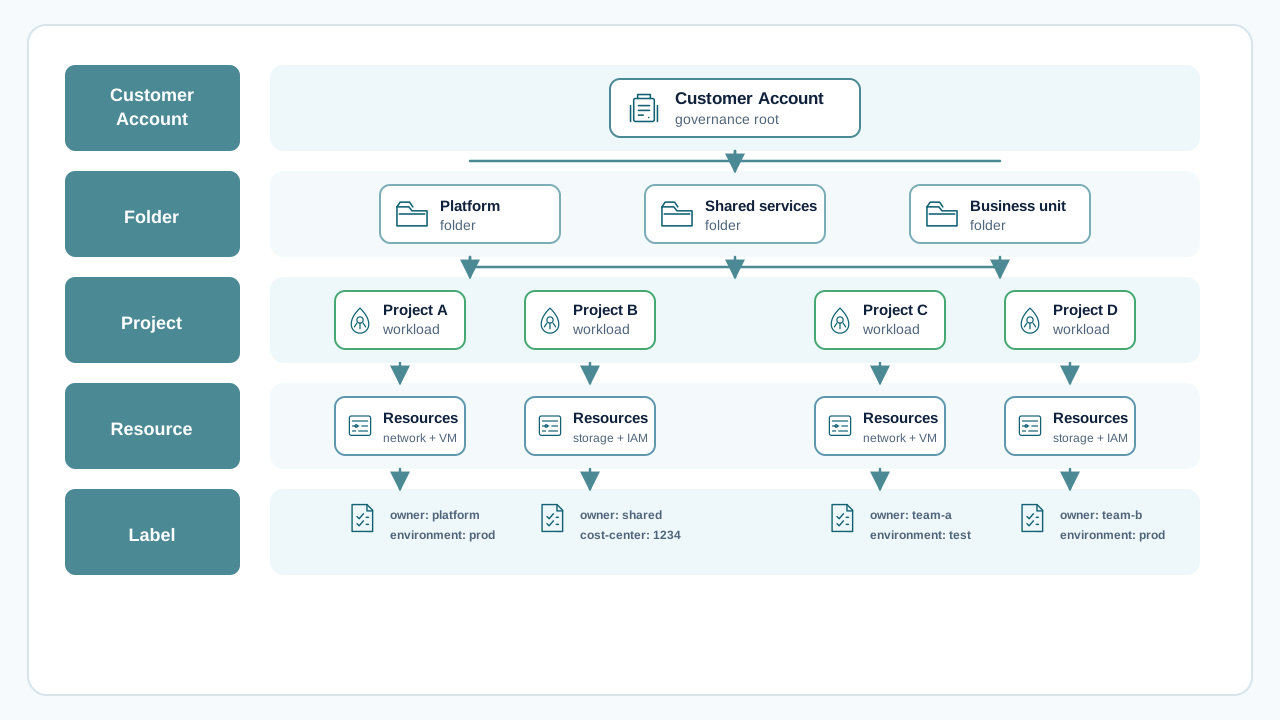
Governance hierarchy from customer account and folders to projects, resources, and labels

  • Regions: Region strategy determines data locality, latency profile, and resilience boundaries for workloads and shared services. Define region usage principles early and align them with compliance and continuity requirements. Documentation
  • Customer Account: The customer account is the top governance boundary for ownership, billing, and administration. It is the anchor for organization-wide standards and control responsibilities. Documentation
  • STACKIT Folder: Folders structure organizational domains (for example platform, shared services, business units, environments) and allow policy inheritance and clean delegation models. Resource Manager
  • STACKIT Projects: Projects are the delivery scopes where resources are deployed and operated. They should be attached to folders through a defined onboarding model, not created ad hoc. Resource Manager
  • Region principles first: Define which regions are allowed for which workload classes.
  • Customer account as governance root: Set global ownership, policy intent, and financial accountability.
  • Folders for structure and delegation: Translate the operating model into scalable organizational boundaries.
  • Projects for delivery: Provision project scopes through a standard lifecycle with mandatory controls inherited from the folder model.
  • Region governance model: Decide single-region, dual-region, or workload-based region strategy and required exceptions.
  • Customer-account responsibilities: Define which central teams own governance, billing oversight, and control operations.
  • Folder topology: Decide how folders map to domains such as platform, environments, and business units.
  • Project onboarding model: Standardize project creation, naming, tagging, and lifecycle controls.
  • Policy and exceptions: Define mandatory guardrails and transparent exception workflows.
  • Governance blueprint: Customer-account, folder, and project topology with ownership matrix.
  • Region usage policy: Approved region patterns per workload type and risk profile.
  • Project onboarding standard: Repeatable process for creating and connecting governed projects.
  • Control baseline: Enforced naming, tagging, and policy controls with documented exception flow.

Governance and Decision Making assigns decision rights and escalation paths for these account, folder, and project boundaries.

  • No region policy: Region selection per team or project without enterprise rules.
  • Unstructured project sprawl: Projects created without folder strategy, ownership clarity, or lifecycle standards.
  • Governance only on paper: Controls documented but not embedded in project onboarding and operations.
STACKIT LogoSTACKIT Logo
Network Architecture STACKIT · Design And Mobilize › Landing Zones Open page ↗

Network architecture defines how workloads communicate securely, how traffic is segmented, and how central connectivity services are governed across shared and project-specific landing zones.

In most enterprise migrations, this topic is less about individual subnets and more about operating a controlled connectivity model over time: who connects which project, via which paths, and under which guardrails.
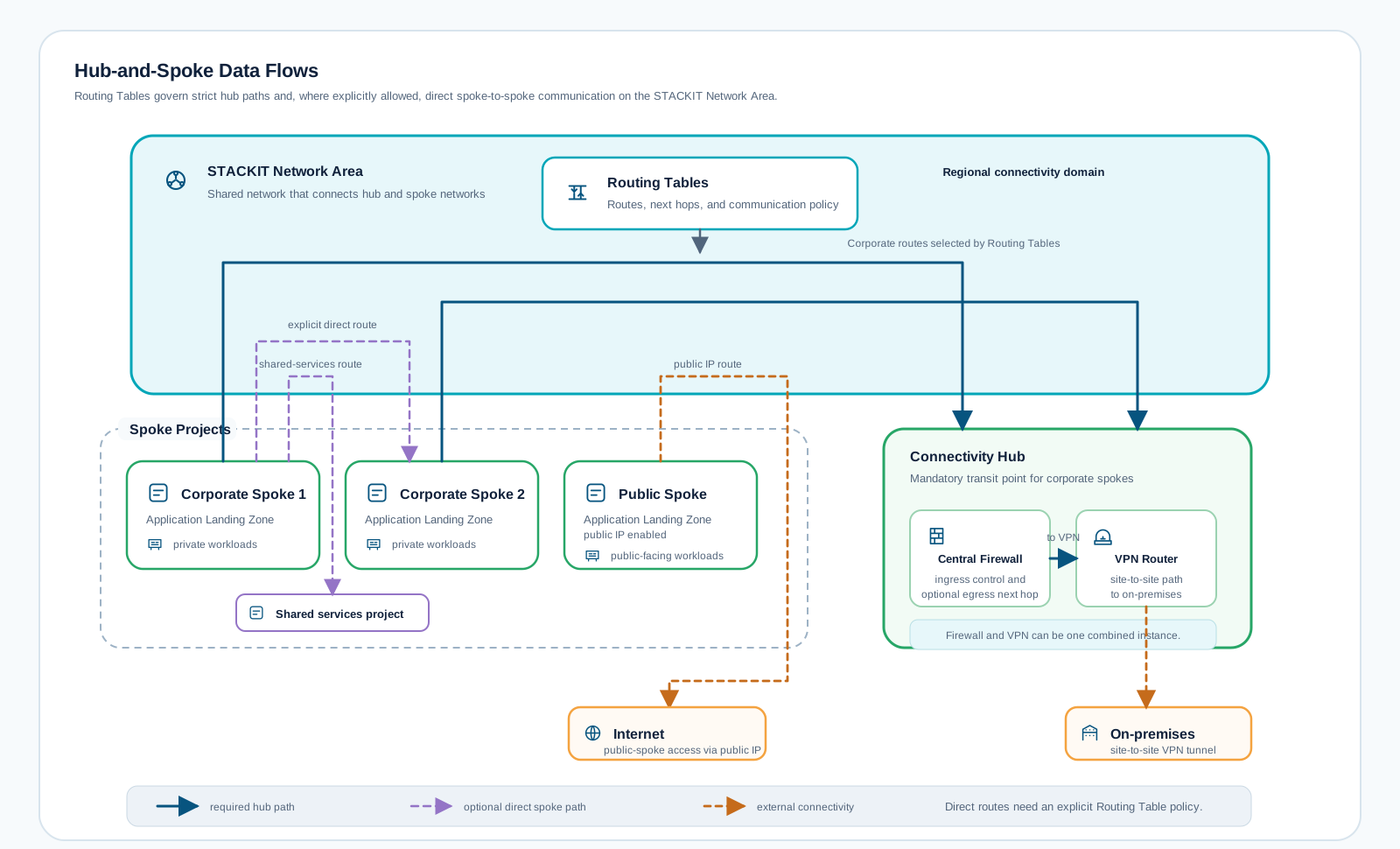
STACKIT Network Area hub-and-spoke architecture with Routing Tables, central firewall, VPN router, application landing zone spokes, on-premises, and internet connectivity

  • STACKIT Network Area: Use a shared enterprise network scope as the central backbone for project connectivity planning and governance. Documentation
  • Routing Tables: Define and enforce how projects inside a Network Area are connected and whether the architecture should follow a hub-and-spoke model with central firewall controls or a flatter topology. Documentation
  • DNS: Standardize naming and service discovery early so connectivity design, certificate handling, and workload cutovers are consistent. Documentation
  • VPN (Connectivity): Treat VPN as a central connectivity capability for hybrid and multi-cloud integration patterns, not as an isolated point solution. Documentation

Confirm the product connectivity boundaries before choosing a topology. Network Area scope, route precedence, and VPN gateway behavior constrain the design; they do not replace the workload connectivity matrix or security approval.

From the STACKIT docsConceptsSource updated 11.12.2025 · copied 06.10.2026

The source shows pictures here that this page leaves out (1). See them in Concepts

The STACKIT Network Area (SNA) allows projects within an organization to be connected to each other on a network level. This makes it possible to connect various resources of the projects within an SNA and also simplifies the connection with on-prem environments (hybrid cloud).

An SNA project differs from a public project in the fact that it is connected to an internal transfer network. When creating a network in a SNA project, the address range is defined using the specified prefix length from the network ranges of the SNA. To make the connectivity within the SNA projects available, the project router gets connected to the SNA transfer network. When editing the networks of SNA projects, the routing table of all project routers is automatically adjusted, no manual adjustment is necessary. Access control at network level is carried out exclusively by security groups, all incoming traffic is denied by default.

SNA is a global resource which you need to enable for the regions you want to use it in. Currently traffic between regions is only possible via the public internet. Private connectivity between regions inside of an SNA is planned for the future.

Example topology of an SNA with 2 projects:

What is this?

This section is copied from the STACKIT docs automatically, several times a day. It cannot be changed here. Changes belong in the STACKIT docs.
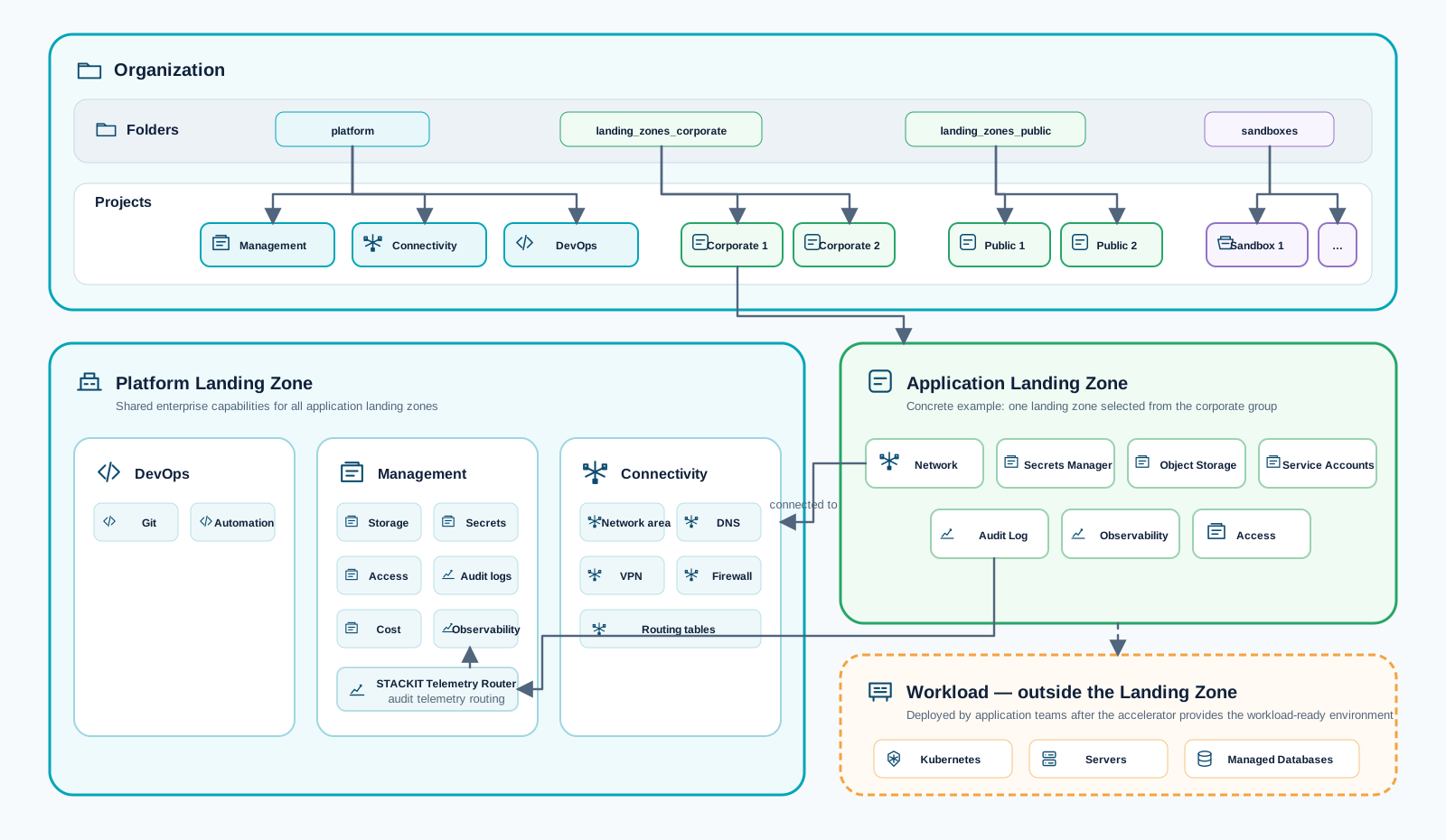
From the STACKIT docsRouting tables › Route types and prioritiesSource updated 14.04.2026 · copied 06.10.2026

Routing tables consist of different types of routes serving different purposes and having a different priority in the overall routing context. Route types with a higher priority value are preferred over lower priority ones if they have the same prefix length. If routes of the same route type have the same prefix length, equal-cost-multi-path (ECMP) is performed.

What is this?

This section is copied from the STACKIT docs automatically, several times a day. It cannot be changed here. Changes belong in the STACKIT docs.

From the STACKIT docsProduct overviewSource updated 30.04.2026 · copied 06.10.2026

A Virtual Private Network (VPN) with STACKIT creates a secure, encrypted connection over the internet between your remote network and your STACKIT Network Area (SNA). This secure tunnel allows data to be transmitted safely, protecting it from eavesdropping, interception, or unauthorized access.

With STACKIT VPN, you can securely connect to your STACKIT Network Area, enabling access to its resources as if you were directly connected to the remote network. This capability is particularly useful for accessing services, applications, and data within the SNA from remote locations, ensuring both privacy and security in all communications.

A STACKIT VPN typically consists of two key components; the VPN gateway and the VPN connection:

  • VPN gateway:
    The VPN gateway in STACKIT serves as the access point to the SNA from the internet. It is the gateway through which encrypted traffic flows between your SNA and your remote data center or private network. In an high available active-active setup the VPN gateway internally consists of two instances. The VPN gateway hosts the VPN connections.
  • VPN connection:
    The VPN connection is the encrypted tunnels being established between the STACKIT VPN gateway and your remote gateway. It utilizes advanced encryption protocols and techniques to ensure that all data transmitted between your local data center and the STACKIT SNA remains confidential and intact, effectively preventing unauthorized access or data breaches. In an high available active-active setup each of the two VPN gateway instances establish a tunnel to the same remote site.

STACKIT VPN is an essential tool for securely connecting distributed resources, enabling remote access to cloud-based services while maintaining the integrity and privacy of your data within the STACKIT cloud environment.

What is this?

This section is copied from the STACKIT docs automatically, several times a day. It cannot be changed here. Changes belong in the STACKIT docs.

  • Network Area ownership model: Decide who centrally governs shared connectivity and onboarding criteria for projects attaching to the Network Area.
  • Routing strategy per domain: Decide where hub-and-spoke with central inspection is mandatory and where simpler flat routing is acceptable.
  • Hybrid connectivity baseline: Define how VPN-based connectivity is integrated into platform standards and lifecycle operations.
  • Name-resolution design: Standardize DNS boundaries and patterns for platform services, shared services, and application landing zones.
  • Target topology and trust boundaries: A documented target state for segmentation and cross-project communication.
  • Network Area onboarding principles: Clear criteria for which projects are attached, how they are reviewed, and how changes are approved.
  • Routing governance model: Defined use of Routing Tables including hub-and-spoke versus flat routing decision criteria.
  • Connectivity baseline: Reusable standards for VPN, DNS, and shared network services.
Asset title
Framework
Asset type

  • Unplanned Network Area growth: Connecting projects without central architecture review and ownership.
  • Routing Tables used ad hoc: Inconsistent route logic per project with no reference architecture.
  • DNS treated as afterthought: Late-stage DNS decisions that break migration timelines or service discovery.
  • VPN as exception path: Managing VPN as one-off workaround instead of governed connectivity foundation.
STACKIT LogoSTACKIT Logo
STACKIT Landing Zone Accelerator STACKIT · Blueprint Open asset ↗

Architecture overview of the STACKIT Landing Zone Accelerator, from bootstrap through platform capabilities to application landing zones and workloads

This asset provides a reusable foundation for implementing a STACKIT platform landing zone. It is designed for enterprise environments that need a structured baseline for governance, security, networking, cost controls, and automation.

Repository:

This repository is a single root-module accelerator with modular submodules.

  • The root module in src/main.tf orchestrates all platform and landing-zone building blocks.
  • Configuration is provided through flavor-specific variable files in src/config/.
  • You can deploy with OpenTofu or Terraform (same module graph).
  • The initial deployment uses a temporary bootstrap service account, then migrates to a managed backend and managed credentials.

The repository provides eight reference configurations in src/config/. Choose the simplest topology that satisfies the required network, security, organizational, tenant, and regional boundaries.
Standalone topology with a management foundation, sandbox, and public application landing zone

Use standalone.tfvars for the smallest foundation: governance, management, a sandbox, and a public application landing zone with its own network and direct internet access. It creates no shared Network Area or connectivity hub, making it suitable when workloads do not require private east-west connectivity or central DNS.
Hub-and-spoke topology with a shared Network Area and separate public landing zone

Use hub-and-spoke.tfvars when corporate workloads need shared private connectivity. A central connectivity project provides the Network Area and DNS, the corporate data platform joins that private domain, and public workloads retain independent networks with direct internet access.
Hub-and-spoke topology with centralized OPNsense firewall inspection

Use hub-and-spoke-firewall.tfvars when corporate egress needs a consistent inspection and control point. It extends the shared Network Area with an OPNsense firewall and steers corporate default routes through the appliance, while public landing zones remain directly connected.
Finance and research topology with independent private connectivity domains

Use hub-and-spoke-finance-research.tfvars when business units require independent ownership and private connectivity. Finance and research each receive their own address plan, connectivity project, Network Area, and workload landing zone within the same STACKIT organization.
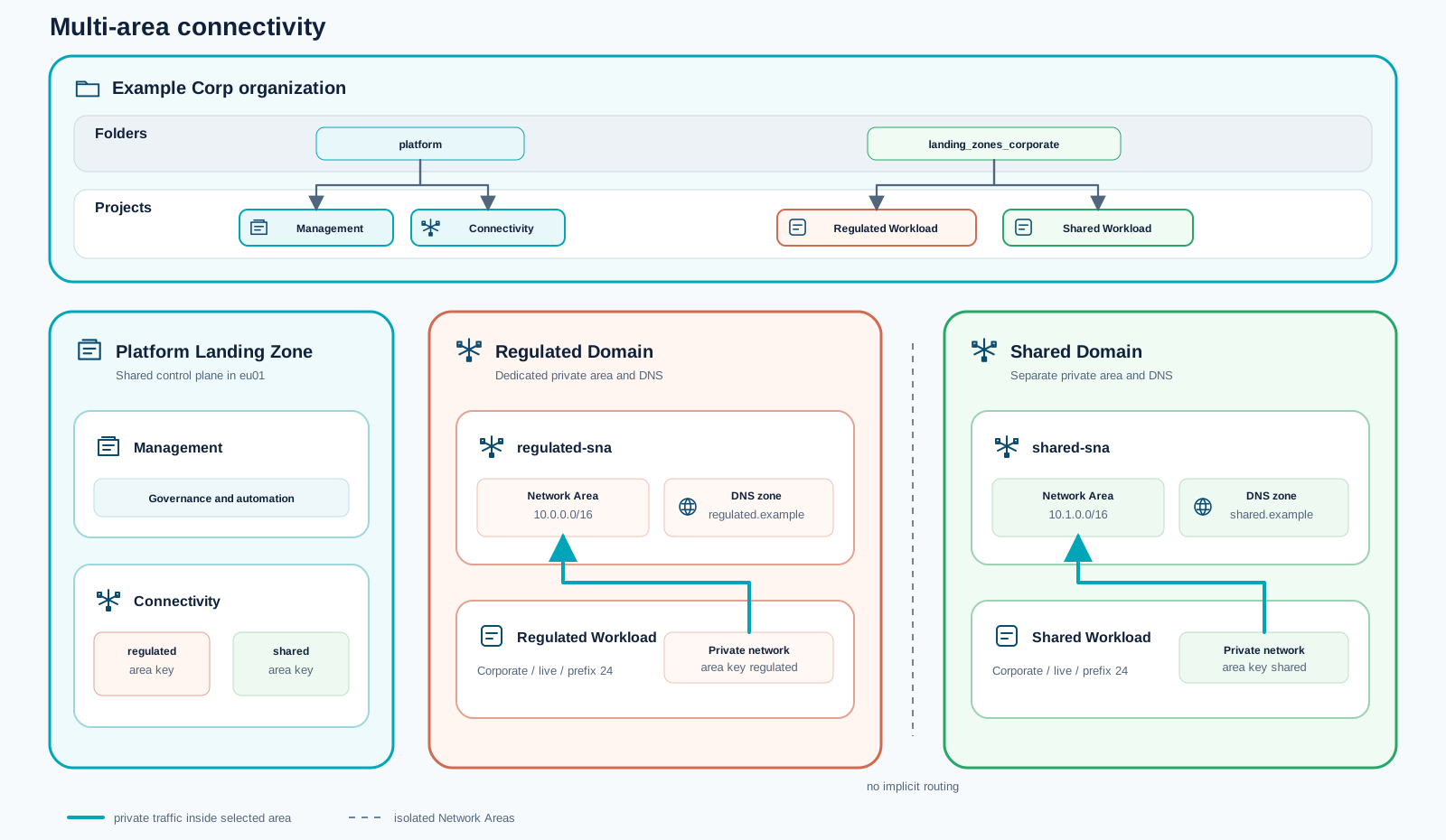
Multi-area topology separating regulated and shared workloads

Use hub-and-spoke-multi-area.tfvars when regulated and shared workloads must occupy separate private connectivity domains. Each domain has its own Network Area and DNS zone, with no implicit routing between them.
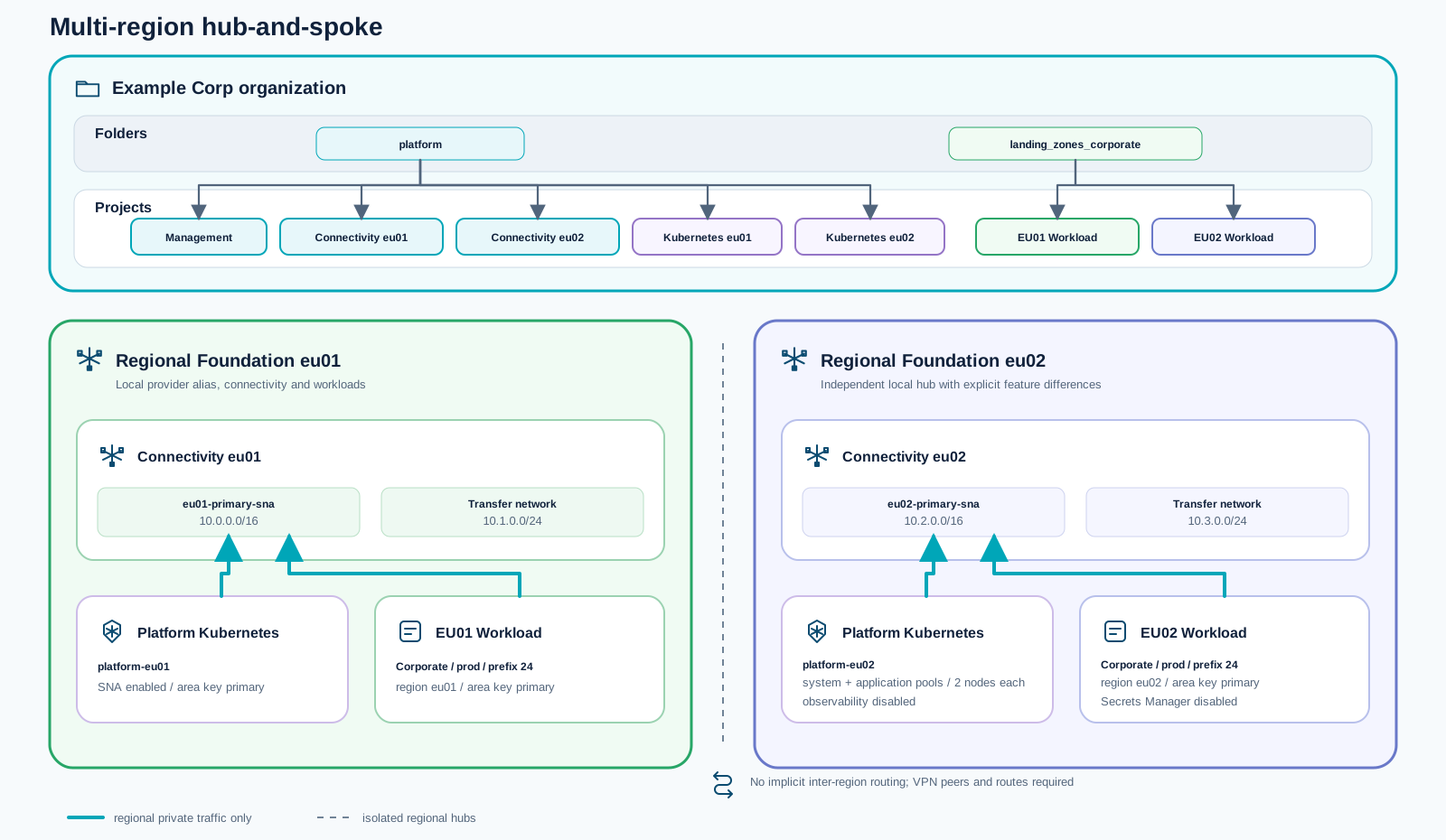
Multi-region topology with independent hubs in eu01 and eu02

Use hub-and-spoke-multi-region.tfvars for regional foundations in eu01 and eu02. Each region receives an independent hub, Network Area, workload landing zone, and optional platform Kubernetes cluster. Inter-region connectivity is deliberately not created and must be designed explicitly.
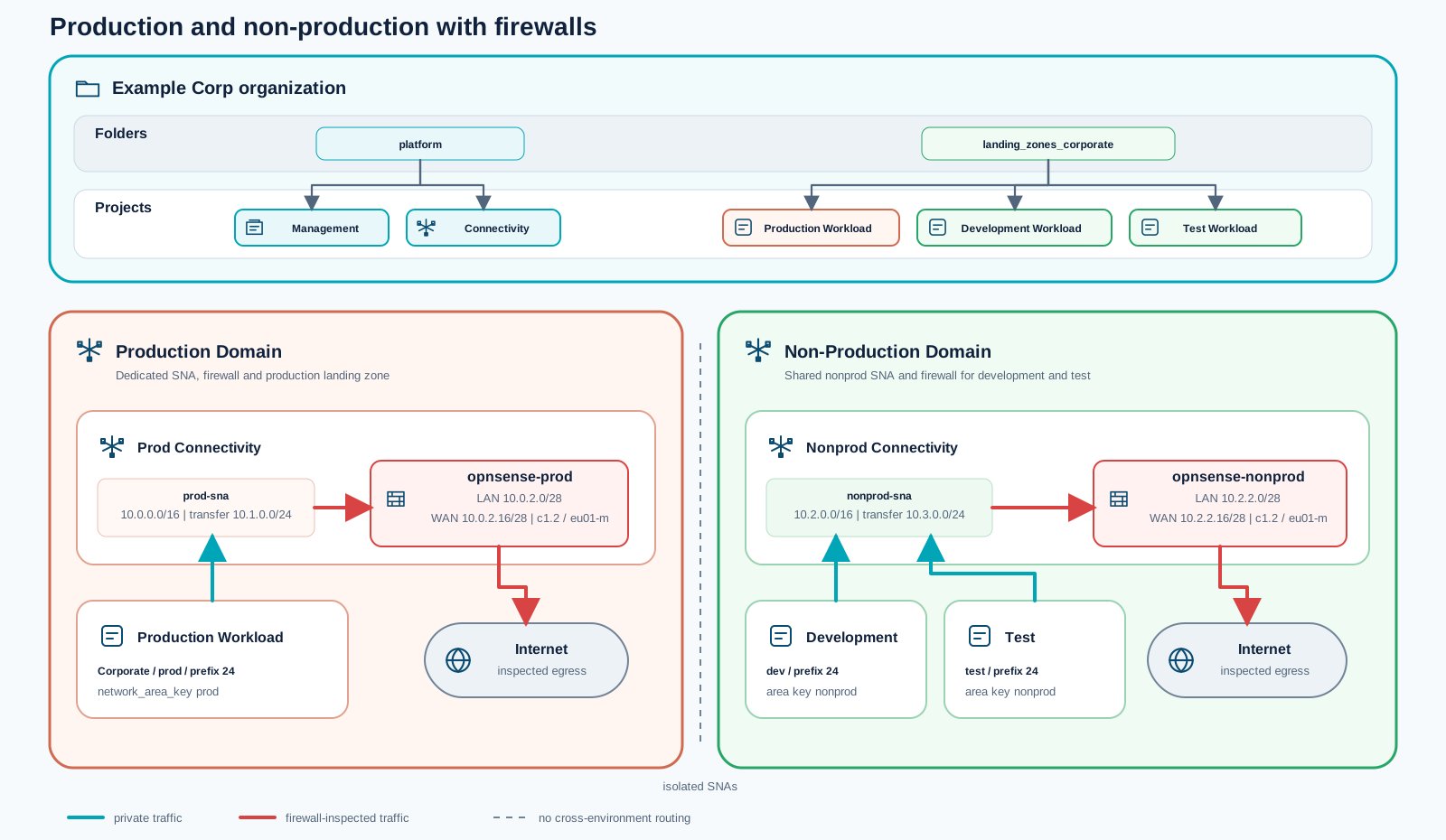
Production and non-production topology with separate Network Areas and firewalls

Use hub-and-spoke-prod-nonprod-firewall.tfvars when production must be isolated from non-production. Each domain receives a dedicated Network Area and OPNsense firewall; development and test share the non-production domain while remaining separate landing zones.
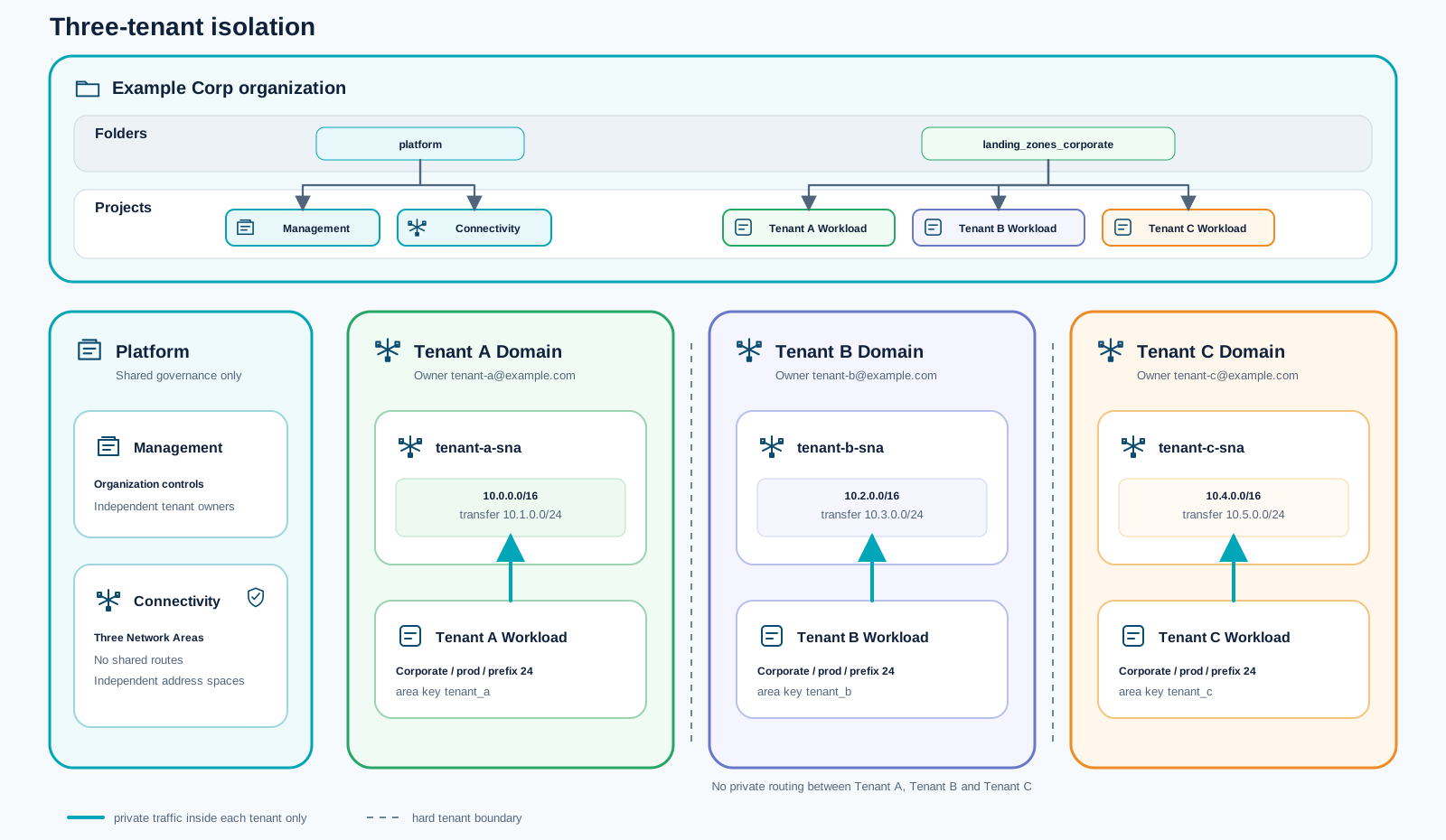
Tenant isolation topology with three independent private tenant domains

Use hub-and-spoke-tenant-isolation.tfvars for multiple tenants inside one organization. Every tenant receives an independent owner, address plan, Network Area, connectivity project, and workload landing zone, without private routing to the other tenant domains.

Code & registry github.com Landing Zone Accelerator architecture Review the implementation architecture, deployment configurations, and network behavior in the source repository. Open the repository

1. Governance module (src/modules/governance)

Section titled “1. Governance module (src/modules/governance)”

Purpose:

  • Creates RM folder structure (platform, landing_zones_corporate, landing_zones_public, sandboxes).
  • Assigns folder-level owners and auditors.
  • Assigns organization-level owners and auditors.
  • Creates custom roles at organization scope.

Landing-zone classification:

  • Platform Landing Zone: core governance baseline.

2. Management module (src/modules/management)

Section titled “2. Management module (src/modules/management)”

Purpose:

  • Creates a central management project.
  • Provisions Secrets Manager and default access user.
  • Provisions object storage buckets (including a remote state bucket).
  • Creates object-storage credentials and stores them in Secrets Manager.
  • Creates automation service account + rotating keys, stores key in Secrets Manager.
  • Optionally provisions observability and stores observability credentials in Secrets Manager.
  • Optionally configures federated identity providers for the automation service account.

Landing-zone classification:

  • Platform Landing Zone: shared operations and automation control plane.

3. Connectivity module (src/modules/connectivity)

Section titled “3. Connectivity module (src/modules/connectivity)”

Purpose:

  • Creates a dedicated connectivity project.
  • Creates network area and regional network-area configuration.
  • Creates DNS zones for shared naming domains.
  • Optionally creates firewall image, volume, server, interfaces, public IP.
  • Exposes firewall next-hop IP for route injection into corporate landing zones.

Landing-zone classification:

  • Platform Landing Zone: shared network and routing baseline.

Purpose:

  • Creates a dedicated DevOps project.
  • Optionally creates a central STACKIT Git instance with ACL ranges.

Landing-zone classification:

  • Platform Landing Zone in this accelerator’s architecture.
  • Rationale: it provides shared delivery tooling and central CI/CD source-control capability across landing zones.

5. Landing-Zone module (src/modules/landing-zone)

Section titled “5. Landing-Zone module (src/modules/landing-zone)”

Purpose:

  • Creates application-facing landing-zone projects (iterative via for_each).
  • Supports corporate landing zones (network area-connected) and public landing zones.
  • Creates routed networks, optional routing-table default route via firewall next hop.
  • Optionally creates per-project child DNS zones.
  • Creates project-level custom roles and role assignments.
  • Creates Secrets Manager, object-storage buckets, and automation service-account key material per landing zone.

Landing-zone classification:

  • Application Landing Zone: primary ALZ implementation module.

6. Sandboxes module (src/modules/sandboxes)

Section titled “6. Sandboxes module (src/modules/sandboxes)”

Purpose:

  • Creates lightweight sandbox projects in the dedicated sandboxes folder.
  • Assigns project owners.

Landing-zone classification:

  • Application Landing Zone (supporting): non-production experimentation space close to ALZ usage patterns.

The current implementation now includes an end-to-end path for a central Kubernetes platform and namespace-based application onboarding.

Platform landing zone for central Kubernetes

Section titled “Platform landing zone for central Kubernetes”

The platform scope now includes a dedicated central Kubernetes foundation that can be operated as a shared platform service.

  • Central cluster foundation: A dedicated platform Kubernetes project with SKE cluster life cycle, DNS extension integration, and optional observability wiring.
  • Secrets policy readiness: Namespace-level Secret Manager policy enforcement supports staged rollout modes such as audit and strict.
  • Shared service model: Platform teams can expose central capabilities while keeping project and namespace boundaries explicit.
  • Operational baseline: Cluster-level outputs and access information are exposed for automation and controlled platform operations.

Application landing zone for namespace tenants

Section titled “Application landing zone for namespace tenants”

Application landing zones can now consume namespace service from the central Kubernetes platform cluster.

  • Namespace onboarding: Landing-zone configuration can request namespace creation for an application team in the shared cluster.
  • Developer access path: Namespace-scoped Kubernetes users and role bindings are provided for tenant-level operations.
  • Service exposure: DNS and ingress patterns are preconfigured for application endpoints based on landing-zone and namespace context.
  • Secrets integration: Workloads can consume centrally governed secret flows while staying in namespace scope.

Extra platform features used in this setup

Section titled “Extra platform features used in this setup”
  • External DNS automation: DNS records for namespace services are managed from Kubernetes annotations and extension-zone integration.
  • Central Kubernetes monitoring: Platform observability integration includes Grafana access and metrics push wiring for cluster-level telemetry.
  • Dashboard provisioning workflow: Example dashboards are provisioned and imported for faster operational handover.
  • Encrypted volumes option: Platform module support for encrypted volume patterns helps align with stricter data-protection requirements.
  • Flexible network posture: The platform Kubernetes module supports SNA-oriented network setups for controlled enterprise connectivity.

What developers get in an application landing zone

Section titled “What developers get in an application landing zone”
  • Ready-to-use namespace: A preconfigured namespace in the central cluster instead of a full cluster-per-team model.
  • Least-privilege access: Namespace-scoped identities and permissions aligned to day-2 developer tasks.
  • Consistent endpoint model: Predictable DNS and ingress patterns for service publication.
  • Governed secret usage: Central secret governance with namespace-level consumption patterns.
  • Observability visibility: Shared metrics and dashboard views that help teams validate rollout and runtime behavior.

Platform vs application landing zone scope in this repository

Section titled “Platform vs application landing zone scope in this repository”
  • Platform Landing Zone focus (majority of implementation):
    • governance
    • management
    • connectivity
    • devops
  • Application Landing Zone scope (narrower by design):
    • landing-zone (core ALZ provisioning)
    • sandboxes (supporting ALZ-adjacent environments)

This means the repository delivers a strong platform baseline first, while ALZ capabilities are intentionally focused on project landing-zone provisioning and team sandbox enablement.

How to use this asset in migration programs

Section titled “How to use this asset in migration programs”
  • Start the platform baseline early (governance, management, connectivity, optional DevOps).
  • Define corporate vs public ALZ patterns based on connectivity and compliance needs.
  • Instantiate application landing zones with the landing-zone map in your variable files.
  • Use sandboxes for team onboarding and controlled early experiments.
  • Move state to the managed backend after first apply and switch from bootstrap credentials to managed automation credentials.
  • Reusable baseline modules: Building blocks for account/project structure, IAM, network, and controls.
  • Policy-oriented setup: Guardrails and conventions for secure and governed cloud usage.
  • IaC-first approach: OpenTofu/Terraform implementation model for repeatable provisioning.
  • Enterprise extensibility: Designed as a baseline to be adapted to customer-specific requirements.
  • Early platform stream: Start foundation setup in parallel with discovery.
  • Control baseline before production move: Ensure mandatory controls are in place before productive migrations.
  • Template source for application landing zones: Reuse and refine baseline modules for workload archetypes.
  • Organization and ownership model for projects/environments.
  • Security and compliance requirements (identity, logging, evidence, segmentation).
  • Connectivity constraints and integration requirements.
  • Operating model alignment across platform, security, and application teams.
OPS

Target Operating Model

Give the Target Operating Model its own moment: it defines how the platform is run, staffed, and governed once workloads land.

Design and mobilizeTarget Operating ModelOverview In 1 trail

The Target Operating Model (TOM) defines how an organization operates its cloud environment after migration. It turns the technical foundations provided by the STACKIT landing zone into clear ownership, repeatable processes, and measurable outcomes.

The model covers the responsibilities shared by platform teams, workload teams, security, service management, and business stakeholders. It should be designed before migration waves start and refined as workloads move into operation.

Governance and decision making

Establish decision rights, architecture and security review forums, exception handling, and an escalation model. See Governance and Decision Making.

Roles and responsibilities

Define accountable ownership across platform, application, security, FinOps, and service management teams. See Roles and Responsibilities.

Platform team and enablement

Operate the STACKIT platform foundation as an internal product with reusable guardrails and self-service paths. See Platform Team and Enablement.

Skills and change management

Build the capabilities, adoption practices, and communication routines needed for new cloud responsibilities. See Skills and Change Management.

The landing zone provides technical guardrails for identity, networking, security, cost control, and automation. The TOM assigns who owns those guardrails, who consumes them, and how changes, exceptions, and operational risks are managed. It does not replace the provider responsibilities defined for STACKIT services; it defines the customer-side operating model for the configured platform and migrated workloads.

Use the TOM to connect the following detailed guidance into one operational model:

  1. Assess the current operating model, existing support processes, skills, and accountability gaps.
  2. Define the target responsibilities, decision rights, and interfaces for the STACKIT platform and workload teams.
  3. Align service management processes, support boundaries, and handover criteria with the first migration waves.
  4. Establish the platform product model, enablement paths, and operational documentation.
  5. Measure adoption and operational outcomes, then refine the model as migration waves progress.
Asset title
Framework
Asset type

WARN

Enablement

Show how readiness findings become an operating enablement system: CCoE ownership, role-based STACKIT learning, and trusted documentation with AI-assisted guidance.

Design and mobilizeEnablementOverview In 1 trail

Cloud migration enablement turns a target architecture and migration plan into repeatable delivery capability. It gives teams the authority, skills, practical experience, and trusted information they need to make decisions without creating a dependency on a small group of experts.

The Readiness Assessment provides the starting point. Its questionnaire and workshops expose organizational and technical gaps, while the five-dimension scorecard identifies the roles, controls, funding, and platform capabilities that must be in place. Use those findings to prioritize the three enablement chapters below.

  1. Assign ownership for migration standards, decisions, and capability development.
  2. Map readiness and role gaps to learning paths, workshops, and practical exercises.
  3. Curate authoritative documentation, migration decisions, and reusable references.
  4. Verify capability before each wave and feed lessons learned back into all three areas.

The Cloud Center of Excellence (CCoE) owns the enablement system across migration waves. It sets guardrails and reference patterns, connects platform and workload teams, maintains the skills plan, and makes sure that lessons from delivery become reusable organizational knowledge. It should enable decentralized delivery rather than become an approval bottleneck.

Establish the CCoE with a clear mandate, signed charter, appropriate structure and roles, a phased rollout, and a federated operating model that can scale across delivery teams.

During a migration, the CCoE should:

  • turn readiness findings into owned remediation and enablement actions;
  • define which standards are mandatory and where teams can make local decisions;
  • maintain approved landing-zone, architecture, security, FinOps, and operations patterns;
  • coordinate role-based learning with migration-wave demand;
  • provide office hours, coaching, and escalation paths for delivery teams;
  • capture feedback, exceptions, and proven practices from each wave.
Cloud Framework Build the Cloud Centre of Excellence Open page

Training should follow migration roles and upcoming work, not a generic course calendar. Start with the capability gaps found in the readiness workshops, then plan learning early enough for people to practice before they are accountable for a design, migration, handover, or operation task.

Use a layered path:

  1. Build shared context: Use STACKIT Introduction, Portal, and Portfolio training so business, architecture, delivery, security, and operations roles share the same platform vocabulary.
  2. Develop role depth: Assign role-based self-learning paths for Cloud Engineers, Security Engineers, Data Engineers, AI Engineers, Cloud Product Owners, business roles, and partners.
  3. Practice migration work: Add hands-on deep dives for cloud engineering, architecture, and Kubernetes security where they match target workloads and wave responsibilities.
  4. Close specific gaps: Use expert sessions for focused topics such as IAM, networking, FinOps, LLM hosting, security, or operating-model handover.
  5. Verify readiness: Require practical evidence such as a reviewed design, deployment exercise, runbook walkthrough, incident scenario, or successful handover rehearsal.

STACKIT University is the central learning platform for customers and partners. It offers self-paced programs, courses with professional certificates, webinars, workshops, and expert sessions. A STACKIT user account is required; practical exercises can additionally require a customer account and organization.

STACKIT documentation university.stackit.cloud Open STACKIT University Open the documentation

The following STACKIT University assets provide current courses, workshops, certifications, and expert formats for different roles and levels of experience.

Asset title
Framework
Asset type

Create one trusted reference path for each migration role. Combine authoritative STACKIT product documentation with migration-specific decisions and evidence, instead of copying product guidance into project documents that quickly become outdated.

Use the reference system for:

  • official product behavior, prerequisites, limits, release information, and operational guidance;
  • platform and developer tooling, including APIs, CLI, SDKs, and infrastructure-as-code providers;
  • approved target patterns, architecture decisions, controls, and exceptions;
  • runbooks, validation evidence, handover records, and known issues for each migration wave;
  • clear ownership, review dates, and links back to the authoritative source.

Use the illustrated Cloud Journey guide in kick-offs and introductory conversations with business stakeholders and cloud newcomers. The mountain scene and five-minute conversation guide connect orientation, preparation, migration, and operations to the framework.

AI can accelerate service mapping, architecture exploration, Terraform drafts, and navigation of technical references. Treat generated results as decision support: require citations, protect customer data, and have qualified architecture, security, operations, and migration owners validate the output before it becomes a design or execution artifact.

CloudMent is the primary AI-assisted migration asset in this module. It combines structured assessment artifacts with interactive STACKIT guidance and grounds recommendations in STACKIT documentation for expert review.

Explore the visual conversation guide and AI-assisted guidance below.

Asset title
Framework
Asset type

The Skills and Change Management guidance connects these enablement measures to role ownership, adoption, and the Target Operating Model.

Cloud migration enablement turns a target architecture and migration plan into repeatable delivery capability. It gives teams the authority, skills, practical experience, and trusted information they need to make decisions without creating a dependency on a small group of experts.

The Readiness Assessment provides the starting point. Its questionnaire and workshops expose organizational and technical gaps, while the five-dimension scorecard identifies the roles, controls, funding, and platform capabilities that must be in place. Use those findings to prioritize the three enablement chapters below.

  1. Assign ownership for migration standards, decisions, and capability development.
  2. Map readiness and role gaps to learning paths, workshops, and practical exercises.
  3. Curate authoritative documentation, migration decisions, and reusable references.
  4. Verify capability before each wave and feed lessons learned back into all three areas.

The Cloud Center of Excellence (CCoE) owns the enablement system across migration waves. It sets guardrails and reference patterns, connects platform and workload teams, maintains the skills plan, and makes sure that lessons from delivery become reusable organizational knowledge. It should enable decentralized delivery rather than become an approval bottleneck.

Establish the CCoE with a clear mandate, signed charter, appropriate structure and roles, a phased rollout, and a federated operating model that can scale across delivery teams.

During a migration, the CCoE should:

  • turn readiness findings into owned remediation and enablement actions;
  • define which standards are mandatory and where teams can make local decisions;
  • maintain approved landing-zone, architecture, security, FinOps, and operations patterns;
  • coordinate role-based learning with migration-wave demand;
  • provide office hours, coaching, and escalation paths for delivery teams;
  • capture feedback, exceptions, and proven practices from each wave.
Cloud Framework Build the Cloud Centre of Excellence Open page

Training should follow migration roles and upcoming work, not a generic course calendar. Start with the capability gaps found in the readiness workshops, then plan learning early enough for people to practice before they are accountable for a design, migration, handover, or operation task.

Use a layered path:

  1. Build shared context: Use STACKIT Introduction, Portal, and Portfolio training so business, architecture, delivery, security, and operations roles share the same platform vocabulary.
  2. Develop role depth: Assign role-based self-learning paths for Cloud Engineers, Security Engineers, Data Engineers, AI Engineers, Cloud Product Owners, business roles, and partners.
  3. Practice migration work: Add hands-on deep dives for cloud engineering, architecture, and Kubernetes security where they match target workloads and wave responsibilities.
  4. Close specific gaps: Use expert sessions for focused topics such as IAM, networking, FinOps, LLM hosting, security, or operating-model handover.
  5. Verify readiness: Require practical evidence such as a reviewed design, deployment exercise, runbook walkthrough, incident scenario, or successful handover rehearsal.

STACKIT University is the central learning platform for customers and partners. It offers self-paced programs, courses with professional certificates, webinars, workshops, and expert sessions. A STACKIT user account is required; practical exercises can additionally require a customer account and organization.

STACKIT documentation university.stackit.cloud Open STACKIT University Open the documentation

The following STACKIT University assets provide current courses, workshops, certifications, and expert formats for different roles and levels of experience.

Asset title
Framework
Asset type

Create one trusted reference path for each migration role. Combine authoritative STACKIT product documentation with migration-specific decisions and evidence, instead of copying product guidance into project documents that quickly become outdated.

Use the reference system for:

  • official product behavior, prerequisites, limits, release information, and operational guidance;
  • platform and developer tooling, including APIs, CLI, SDKs, and infrastructure-as-code providers;
  • approved target patterns, architecture decisions, controls, and exceptions;
  • runbooks, validation evidence, handover records, and known issues for each migration wave;
  • clear ownership, review dates, and links back to the authoritative source.

Use the illustrated Cloud Journey guide in kick-offs and introductory conversations with business stakeholders and cloud newcomers. The mountain scene and five-minute conversation guide connect orientation, preparation, migration, and operations to the framework.

AI can accelerate service mapping, architecture exploration, Terraform drafts, and navigation of technical references. Treat generated results as decision support: require citations, protect customer data, and have qualified architecture, security, operations, and migration owners validate the output before it becomes a design or execution artifact.

CloudMent is the primary AI-assisted migration asset in this module. It combines structured assessment artifacts with interactive STACKIT guidance and grounds recommendations in STACKIT documentation for expert review.

Explore the visual conversation guide and AI-assisted guidance below.

Asset title
Framework
Asset type

The Skills and Change Management guidance connects these enablement measures to role ownership, adoption, and the Target Operating Model.

STEP

Documentation and Reference

Create a trusted reference path for each migration role using authoritative STACKIT product documentation, migration decisions, and evidence.

Design and mobilizeEnablementOverview In 1 trail

Cloud migration enablement turns a target architecture and migration plan into repeatable delivery capability. It gives teams the authority, skills, practical experience, and trusted information they need to make decisions without creating a dependency on a small group of experts.

The Readiness Assessment provides the starting point. Its questionnaire and workshops expose organizational and technical gaps, while the five-dimension scorecard identifies the roles, controls, funding, and platform capabilities that must be in place. Use those findings to prioritize the three enablement chapters below.

  1. Assign ownership for migration standards, decisions, and capability development.
  2. Map readiness and role gaps to learning paths, workshops, and practical exercises.
  3. Curate authoritative documentation, migration decisions, and reusable references.
  4. Verify capability before each wave and feed lessons learned back into all three areas.

The Cloud Center of Excellence (CCoE) owns the enablement system across migration waves. It sets guardrails and reference patterns, connects platform and workload teams, maintains the skills plan, and makes sure that lessons from delivery become reusable organizational knowledge. It should enable decentralized delivery rather than become an approval bottleneck.

Establish the CCoE with a clear mandate, signed charter, appropriate structure and roles, a phased rollout, and a federated operating model that can scale across delivery teams.

During a migration, the CCoE should:

  • turn readiness findings into owned remediation and enablement actions;
  • define which standards are mandatory and where teams can make local decisions;
  • maintain approved landing-zone, architecture, security, FinOps, and operations patterns;
  • coordinate role-based learning with migration-wave demand;
  • provide office hours, coaching, and escalation paths for delivery teams;
  • capture feedback, exceptions, and proven practices from each wave.
Cloud Framework Build the Cloud Centre of Excellence Open page

Training should follow migration roles and upcoming work, not a generic course calendar. Start with the capability gaps found in the readiness workshops, then plan learning early enough for people to practice before they are accountable for a design, migration, handover, or operation task.

Use a layered path:

  1. Build shared context: Use STACKIT Introduction, Portal, and Portfolio training so business, architecture, delivery, security, and operations roles share the same platform vocabulary.
  2. Develop role depth: Assign role-based self-learning paths for Cloud Engineers, Security Engineers, Data Engineers, AI Engineers, Cloud Product Owners, business roles, and partners.
  3. Practice migration work: Add hands-on deep dives for cloud engineering, architecture, and Kubernetes security where they match target workloads and wave responsibilities.
  4. Close specific gaps: Use expert sessions for focused topics such as IAM, networking, FinOps, LLM hosting, security, or operating-model handover.
  5. Verify readiness: Require practical evidence such as a reviewed design, deployment exercise, runbook walkthrough, incident scenario, or successful handover rehearsal.

STACKIT University is the central learning platform for customers and partners. It offers self-paced programs, courses with professional certificates, webinars, workshops, and expert sessions. A STACKIT user account is required; practical exercises can additionally require a customer account and organization.

STACKIT documentation university.stackit.cloud Open STACKIT University Open the documentation

The following STACKIT University assets provide current courses, workshops, certifications, and expert formats for different roles and levels of experience.

Asset title
Framework
Asset type

Create one trusted reference path for each migration role. Combine authoritative STACKIT product documentation with migration-specific decisions and evidence, instead of copying product guidance into project documents that quickly become outdated.

Use the reference system for:

  • official product behavior, prerequisites, limits, release information, and operational guidance;
  • platform and developer tooling, including APIs, CLI, SDKs, and infrastructure-as-code providers;
  • approved target patterns, architecture decisions, controls, and exceptions;
  • runbooks, validation evidence, handover records, and known issues for each migration wave;
  • clear ownership, review dates, and links back to the authoritative source.

Use the illustrated Cloud Journey guide in kick-offs and introductory conversations with business stakeholders and cloud newcomers. The mountain scene and five-minute conversation guide connect orientation, preparation, migration, and operations to the framework.

AI can accelerate service mapping, architecture exploration, Terraform drafts, and navigation of technical references. Treat generated results as decision support: require citations, protect customer data, and have qualified architecture, security, operations, and migration owners validate the output before it becomes a design or execution artifact.

CloudMent is the primary AI-assisted migration asset in this module. It combines structured assessment artifacts with interactive STACKIT guidance and grounds recommendations in STACKIT documentation for expert review.

Explore the visual conversation guide and AI-assisted guidance below.

Asset title
Framework
Asset type

The Skills and Change Management guidance connects these enablement measures to role ownership, adoption, and the Target Operating Model.

CloudMent LogoCloudMent Logo
CloudMent AI-Powered Cloud Advisor CloudMent · Software Open asset ↗

CloudMent AI-Powered Cloud Advisor supports migration teams in Assess and Design and Mobilize. It combines CloudMent Deck for structured assessment artifacts with CloudMent Essential for interactive STACKIT advisory.

The solution helps architects and portfolio teams capture requirements, map source services to STACKIT options, select R-strategies, design target architectures, and estimate STACKIT run costs. Recommendations are grounded in STACKIT documentation and include citations for expert review.

  • Rapid Discovery and Readiness Assessment: Captures application landscape information and functional or non-functional requirements to create first readiness and portfolio views.
  • Discovery and Design: Maps AWS, Azure, and Google Cloud services to STACKIT equivalents with fit ratings and supports R-strategy selection during design.
  • Business Case: Estimates STACKIT monthly run rates from pricing context and generates decision-support figures for migration planning.
  • Enablement: Provides a guided advisory interface for teams learning STACKIT service options, Terraform patterns, and architecture decisions.
  • Requirements-driven assessment: Turns workload descriptions, inventories, or CMDB inputs into cloud readiness, R-strategy, target architecture, and business-case drafts.
  • Grounded advisory: Uses STACKIT documentation and provider context so recommendations can be checked through cited sources.
  • Source-to-target mapping: Compares hyperscaler services with STACKIT alternatives and labels direct fits, partial fits, and gaps.
  • Interactive design support: Builds and refines target architecture options with service mapping, cost estimates, and Terraform drafts.
  • Inputs: Workload descriptions, application inventories, requirements, architecture documents, CSV or Excel exports, and optional CMDB sources such as ServiceNow or LeanIX.
  • Outputs: Readiness assessment, R-strategy classification, service mapping, target architecture, business-case estimate, Terraform draft, and cited evidence.
  • Review need: Outputs are decision support and must be validated by qualified migration, architecture, security, and operations experts.
  • Hyperscaler-to-STACKIT migrations: Strong fit for portfolios moving from AWS, Azure, or Google Cloud to STACKIT.
  • Large or unclear portfolios: Useful when many applications, incomplete documentation, or service-mapping work slow down assessment and design.
  • Sovereignty requirements: Relevant for regulated organizations that need traceable recommendations and EU-based processing on STACKIT.
  • No execution automation: CloudMent does not migrate workloads, execute cutovers, or provision customer infrastructure.
  • No agent-based scan: Analysis is based on provided input data rather than direct source-environment scanning.
  • Expert validation required: R-strategy, cost, compliance, Terraform, and architecture outputs must be reviewed before use.
  • Product page: CloudMent
  • Documentation: Public product documentation is in preparation.
  • Marketplace listing: STACKIT Marketplace listing is in progress.
STEP

Migration Factory Setup

Go deep here: this is where an approved design becomes an executable, wave-scale delivery factory.

Cover partner model, tooling, interfaces, and runbook finalization as the pillars of a factory-ready setup.

Migration Factory Setup Four stages lead from confirmed migration demand through collaboration and enablement to a tested, scalable migration factory. From approved design to a scalable factory. Build delivery model, interfaces, tooling, and runbooks together, then prove them before scaling. 1 ALIGN Demand and model Volume, mix, and throughput Ownership, KPIs, and escalation 2 CONNECT Teams and cadence Clear delivery interfaces Decision and communication rhythm 3 ENABLE Toolchain and runbooks Tools for each migration pattern Checkpoints, rollback, and handover 4 PROVE Wave and cutover Scope, window, and communication Review pilot wave and refine Outcome: approved, repeatable setup for scaled wave execution
Four stages lead from confirmed migration demand through collaboration and enablement to a tested, scalable migration factory.
Runbook Readiness and Tooling

Bring runbook gates and tool selection criteria together in one traceable approval for wave execution.

Runbook Readiness and Tooling Four runbook gates and five tooling criteria converge into one approval for wave execution. Two readiness axes. One reliable wave approval. Execution instructions and toolchain must both be traceable, integrated, and rollback-ready. RUNBOOK READINESS Four gates secure execution 1Technical 2Operations 3Business 4Recovery Versioned steps, approvals, evidence, and clear triggers TOOLING READINESS Five criteria keep the toolchain stable Pattern fit Automation Auditability Integration Operational stability Minimum baseline with fallback for critical windows GO FOR THE WAVE Runbook and toolchain approved together
Four runbook gates and five tooling criteria converge into one approval for wave execution.
AUTO

Migrate

Keep this as concise as Assess and focus on the end-to-end factory flow that runs every wave to completion.

The end-to-end factory flow is the core chapter here: intake, run, validate, and hand over each wave through the factory.

End-to-End Migration Wave Flow Four sequential stages lead from wave approval through preparation and cutover to stabilization and handover. Every wave follows the same controlled factory flow. Secure scope and baseline, execute migration, prove acceptance, and hand over safely to operations. 1 APPROVE Scope and baseline Window, rollback, and ownership Freeze versions and dependencies 2 PREPARE Readiness and R-path Validate source and target Run playbook by archetype 3 CUT OVER Cutover and acceptance Route traffic to STACKIT safely Validate tech, function, operations 4 STABILIZE Learn and hand over Resolve findings in short loops Hand over to Optimize and Operate Traceable wave completion: accepted, stabilized, and fully handed over
Four stages lead from wave approval and readiness through cutover and acceptance to stabilization and handover to Optimize and Operate.
LIVE

Optimize

Keep this concise: Optimize turns freshly migrated workloads into cost- and performance-tuned steady-state services.

MigrateOptimizeOverview In 7 trails

Optimize starts when workloads run on STACKIT and real operating data is available. The module converts post-cutover observations into measurable improvements for performance, stability, and cost efficiency.

Optimize is not a one-time task. It is an iterative cycle that can overlap with early stabilization and post-cutover care.

Many right-sizing and tuning decisions are only reliable under real load patterns. After cutover, teams can use production telemetry to separate assumptions from actual behavior.

  1. Collect runtime evidence: utilization, latency, error rates, throughput, and cost drivers.
  2. Identify bottlenecks and waste patterns at workload, platform, and data layers.
  3. Prioritize actions by business impact, risk reduction, and FinOps effect.
  4. Implement tuning changes in controlled increments.
  5. Validate outcomes against SLO, reliability, and cost targets.
  6. Feed lessons learned into future migration waves and operating standards.
  • Rightsizing: Align compute, storage, and network capacity with actual demand profiles.
  • Performance tuning: Improve latency and throughput through configuration, scaling, and architecture adjustments.
  • Reliability hardening: Reduce incident frequency through better resilience, observability, and failure handling.
  • FinOps controls: Improve cost transparency, remove waste, and optimize run-rate efficiency.

Optimization decisions should be based on runtime evidence, not assumptions. For practical implementation, combine workload telemetry, alerting, and controlled infrastructure changes.

  • Managed observability baseline: Use STACKIT Observability to collect metrics, logs, and traces with Grafana, Prometheus, Thanos, Loki, and Tempo.
  • Detection logic: Define explicit thresholds and observation windows for low utilization and overload conditions.
  • Run path: Apply rightsizing through IaC changes (for example VM flavor changes) with rollback checkpoints.
  • Validation loop: Re-measure SLO, error rates, and run-cost after each tuning increment.
Filters

Within a group every tick widens the list. Groups narrow each other.

Framework

Status

Topics

Asset title
Framework
Asset type

For Replatform workloads on Kubernetes, optimization spans multiple layers and should be coordinated as one control loop.

  • Pod scaling: Use HPA to adapt replica count to workload pressure with explicit min/max limits.
  • Node pool scaling: Keep sufficient cluster headroom and tune machine type (flavor) for CPU/memory density requirements.
  • Ingress scaling: Re-evaluate load balancer service plan when ingress throughput or connection behavior becomes a bottleneck.
  • Storage rightsizing: Select storage classes based on performance requirements for persistent workloads.
  • Validation discipline: Re-check latency, error rate, and cost after every incremental tuning change.

Primary inputs

Cutover reports, incident trends, SLO measurements, telemetry baselines, and cost reports.

Optimization outputs

Prioritized improvement backlog, validated tuning changes, and updated runbook standards.

Governance outcome

Clear trade-off decisions between performance, resilience, and cost with documented ownership.

  • Optimize follows technical migration delivery in Migrate.
  • Optimize can run in parallel with early post-cutover care activities, while ownership for this care model is covered in the Run phase.
  • Deeper architectural redesign remains in Refactor.
GOAL

Run

Close the journey briefly with the Run phase module map so the audience sees where migration outcomes ultimately land.

Overview In 2 trails

Run is the target state of the migration journey: workloads run on STACKIT with defined ownership, stable operations, and measurable service quality.

The phase starts with post-cutover stabilization and extends into long-term cloud operations. It is where migration outcomes are translated into durable operational performance.

Run is not just a follow-up activity. It is the strategic destination behind migration run. For many programs, the practical objective is clear: maximize the share of workloads that run reliably in a “Runs on STACKIT” operating state.

Run connects to Migrate through Hypercare and extends the Target Operating Model into real day-to-day service operations.

  1. Start with Hypercare directly after cutover, while migration and project teams are still reachable.
  2. Close operational gaps, including missing monitoring, alerting, and runbook refinements.
  3. Formalize handover to DevOps ownership or a dedicated operations team.
  4. Establish support and service request responsibilities between customer and provider.
  5. Continue in steady-state run with continuous optimization and regular operating model validation.

Operating Model Handover is anchored in Migrate and can overlap with migration waves before Run starts.

Run combines short-term stabilization and long-term service operations. The following model visualizes the intended flow from migration handoff to stable day-2 operations.

Swipe sideways to see the whole diagram
Run phase module model From migration stabilization to durable cloud operations on STACKIT. Run phase module modelFrom migration stabilization to durable cloud operations on STACKIT.Run flowMigrate handoffCutover complete, known risk listHypercarePost-cutover stabilization, fast remediation bridgeOperateSteady-state cloud operations: reliability, security, efficiencySupportIncidents and service requests, shared responsibility rulesCustomer SuccessCentral contact point, adoption and value realizationSemantic mapBridge stageMigrate to Run transition contextTechnical streamHypercare and Operate steady-state executionOperations streamOperate execution and governance cadenceService streamSupport, incidents, and requestsValue streamCustomer success and adoption scaling

The Run model uses four semantic streams to clarify ownership and purpose:

  • Stabilization stream: Hypercare resolves post-cutover risks while delivery teams are still available.
  • Operations stream: Operate secures reliability, security, observability, and controlled change in steady-state service run.
  • Service stream: Support defines who handles incidents and which requests are provider-managed versus customer-managed.
  • Value stream: Customer Success keeps adoption and outcomes aligned over time.

Bridge from project to operations

Hypercare ensures unresolved migration topics are stabilized before they become recurring incidents.

Clear ownership and support model

Defined responsibilities for incidents and service requests reduce friction and escalation loops.

Operational resilience

Monitoring, observability, and runbook maturity improve reliability and recovery behavior.

Sustained value realization

Continuous service improvement keeps performance, cost, and user outcomes aligned with business goals.

  • Hypercare: Stabilization bridge from Migrate to Run with fast feedback and controlled remediation.
  • Operate: Steady-state cloud operations for reliability, security, and efficiency on STACKIT.
  • Support: Incident and service request model across customer and provider responsibilities.
  • Customer Success: Value stream with a central contact model for adoption and outcome tracking.

At the end of the initial Run establishment, teams should have:

  • Stabilized post-cutover service: Critical migration defects are resolved or controlled with agreed actions.
  • Closed operational gaps: Missing monitoring, alerting, and operational evidence paths are implemented.
  • Validated handover model: DevOps or classical operations ownership is tested in real service scenarios.
  • Support model in production use: Incident and request handling paths are active, documented, and measured.
  • Durable run governance: Service performance, cost behavior, and improvement backlog are reviewed in regular cadences.
Hypercare

Hypercare is the controlled stabilization period directly after migration cutover. It keeps migration and project teams close to operations so unresolved defects can be fixed early with low risk.

This module forms the explicit bridge from Migrate to Run.

  • Fast remediation window: Deep workload context is still available in delivery teams.
  • Risk containment: Early incidents can be resolved before they become recurring operational debt.
  • Operational hardening: Missing monitoring, alerting, and runbook details are completed under real load.
  1. Confirm cutover baseline and define Hypercare entry criteria.
  2. Track incidents, instability patterns, and operational blind spots daily.
  3. Prioritize remediation by business impact and service criticality.
  4. Implement fixes with controlled change windows and rollback readiness.
  5. Verify stabilization criteria and close unresolved risks with clear ownership.
  6. Exit Hypercare when service, observability, and support readiness are accepted.
  • Post-cutover defect closure: Resolve migration-related errors and service degradations.
  • Monitoring completion: Add missing metrics, dashboards, and alert thresholds.
  • Runbook maturity: Refine troubleshooting, escalation, and rollback procedures.
  • Knowledge transfer preparation: Structure findings for operating model handover.

Primary inputs

Cutover records, migration runbooks, open issue logs, SLO baselines, and incident patterns.

Hypercare outputs

Stabilized services, closed critical defects, completed observability baseline, and handover-ready documentation.

Exit result

Approved transition into Operate and regular run governance.

Hypercare is the controlled stabilization period directly after migration cutover. It keeps migration and project teams close to operations so unresolved defects can be fixed early with low risk.

This module forms the explicit bridge from Migrate to Run.

  • Fast remediation window: Deep workload context is still available in delivery teams.
  • Risk containment: Early incidents can be resolved before they become recurring operational debt.
  • Operational hardening: Missing monitoring, alerting, and runbook details are completed under real load.
  1. Confirm cutover baseline and define Hypercare entry criteria.
  2. Track incidents, instability patterns, and operational blind spots daily.
  3. Prioritize remediation by business impact and service criticality.
  4. Implement fixes with controlled change windows and rollback readiness.
  5. Verify stabilization criteria and close unresolved risks with clear ownership.
  6. Exit Hypercare when service, observability, and support readiness are accepted.
  • Post-cutover defect closure: Resolve migration-related errors and service degradations.
  • Monitoring completion: Add missing metrics, dashboards, and alert thresholds.
  • Runbook maturity: Refine troubleshooting, escalation, and rollback procedures.
  • Knowledge transfer preparation: Structure findings for operating model handover.

Primary inputs

Cutover records, migration runbooks, open issue logs, SLO baselines, and incident patterns.

Hypercare outputs

Stabilized services, closed critical defects, completed observability baseline, and handover-ready documentation.

Exit result

Approved transition into Operate and regular run governance.

Trail historyActive 2 of the last 12 weeksLWUpdatedNo updates · 1 bar = 1 week i
Maintainers
LWLukas WeberrußHead of STACKIT Cloud Migration Framework · STACKITOwnerActive 10 of the last 12 weeks · 47 updatesSTACKITwww.linkedin.com/in/lukas-weberruß-a360b081Contributed in STACKIT
Show full history (1 more)